The information overload problem
In the fast-moving worlds of InfoSec, AI, and AI Red Teaming, staying updated isn’t just a hobby, it’s a requirement. As the sources started to grow, my information intake was a chaotic mix of RSS feeds, newsletters, research papers, YouTube videos, and Reddit threads.
And yes… the endless tsunami of daily sources and my borderline OCD, it was more like an unpaid, full-time secretary job for my own future self. I was so busy filing, tagging, filtering, and ‘saving’ links that at the end of the day I was mentally fried to… you know, read them!
So, the classic “Read-it-Later” app approach, combined with smartly-filtered push notifications, was meh. Again, my “save” queue grew exponentially faster than my “read” capacity. Looking at my digital graveyard of unread articles made me think I needed a smarter way to filter beforehand.
Also, I was curious about n8n, and… two birds with one stone! Why not build an automation pipeline using it? The goal was simple: move from a pull-based manual process to a push-based, AI-curated weekly digest that only delivers high-signal content tailored to my specific interests.
A hybrid approach
One of the first design decisions was finding the right cadence. I initially considered a daily newsletter, but receiving seven emails a week would’ve quickly become its own form of noise. Conversely, running a single massive script once a week to process everything at once presented major drawbacks: it was prone to timeouts and hit API token limits far too easily.
The solution was a hybrid model:
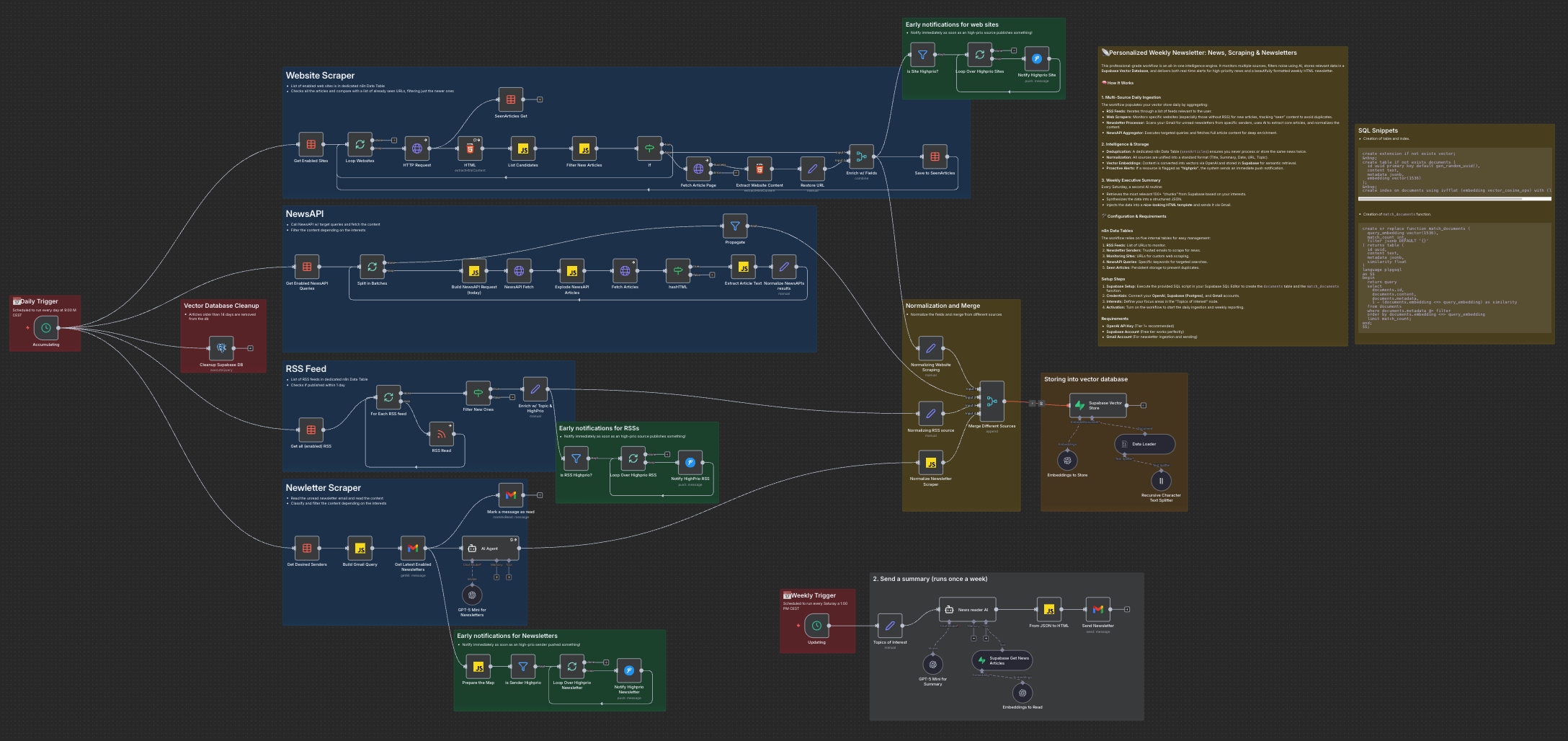
- The Daily Ingestion Job: a “collector” routine that fetches, cleans, and stores data from four different source types into a Supabase vector database. This keeps the processing manageable and ensures no news is missed.
- The Weekly Synthesis Job: a “curator” routine that retrieves the most relevant context from the past 7 days and uses a Large Language Model (LLM) to generate a personal, professional-ish and useful HTML newsletter.
Phase 1: a multi-source ingestion
To ensure a comprehensive view, the ingestion layer processes four primary streams, each with its own technical challenges:
variety via NewsAPI
I use NewsAPI as a low-noise discovery layer. By crafting high-signal query strings for specific macro-topics, I fetch articles published only on the current day. To keep the pipeline robust, I built in some site-specific behavior: while most content is fetched in full, sites protected by Cloudflare (403 errors) are gracefully handled by falling back to metadata (title/description) rather than breaking the flow.

web scraping
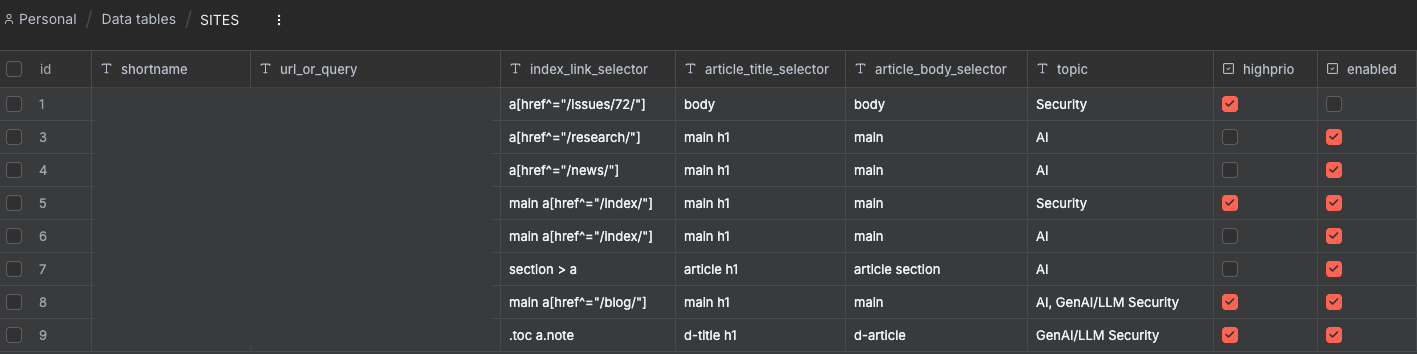
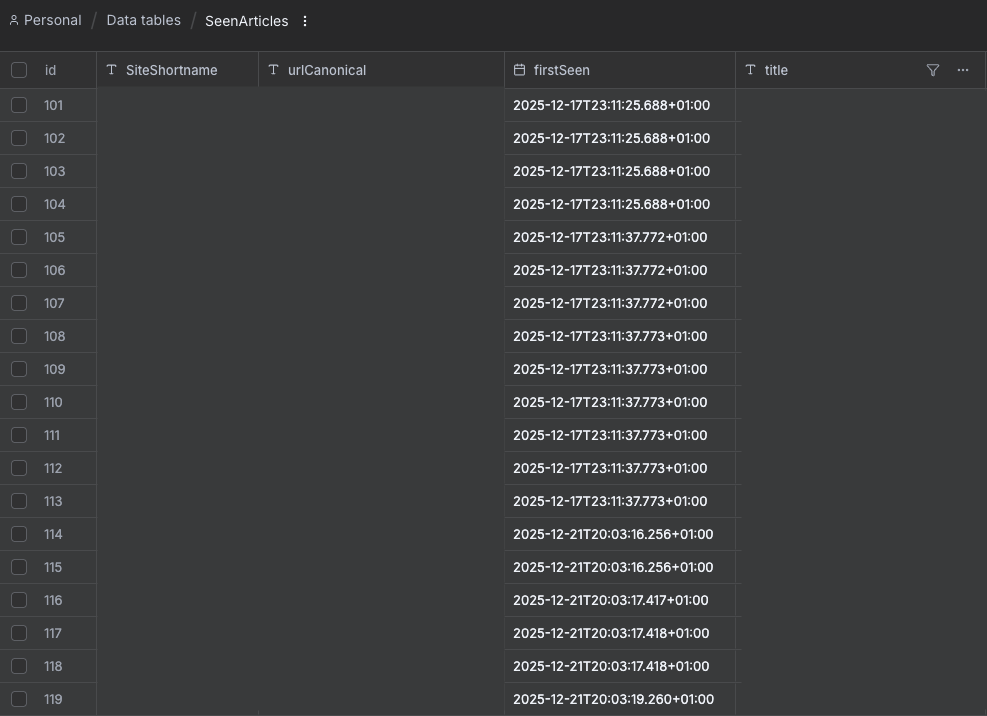
For sites without RSS feeds, a custom scraping logic uses HTTP requests and HTML selectors. To prevent duplicates, I implemented a SeenArticles table in n8n. This tracks a canonical representation of URLs (stripping fragments and tracking parameters), ensuring we only process genuinely new content.
RSS ingestion
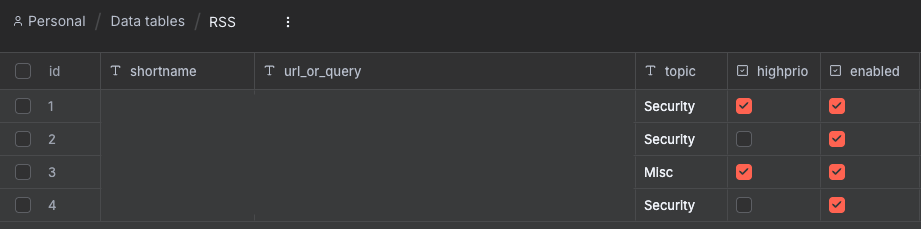
RSS feeds are iterated through a data table for easy management.
newsletters ingestion
Newsletters are handled by a specialized Gmail scraper that pulls unread emails from trusted senders. An AI agent processes the often “messy” HTML of newsletters to extract individual article links and summaries, normalizing them into a unified schema.
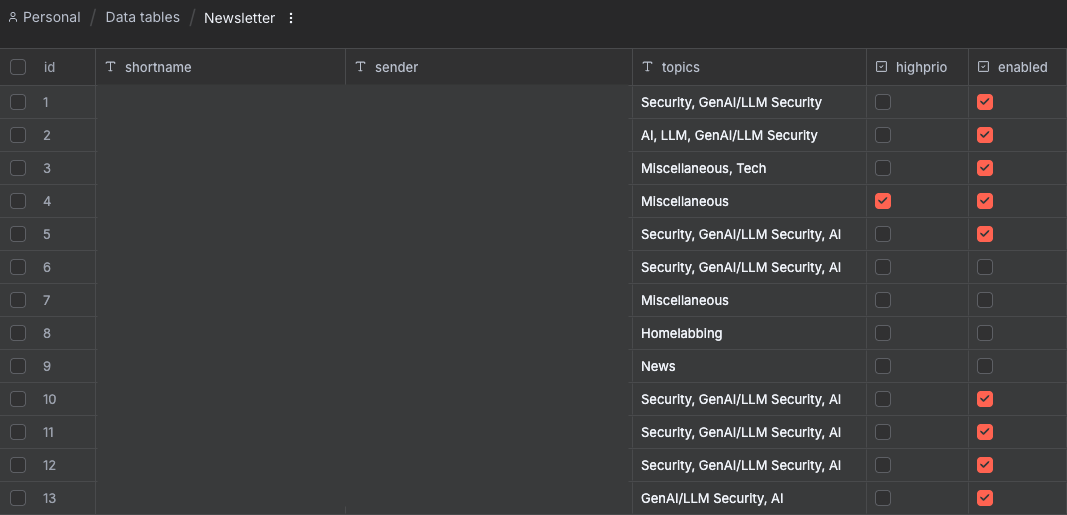
Regardless of the source, all data converges into a single schema: title, content, date, link, topic, and highprio.
- Real-time Alerts: Any item flagged as
highpriotriggers an immediate push notification via PushOver. - Supabase (pgvector): Content is converted into 1536-dimensional embeddings and stored in Supabase. I implemented a 14-day retention policy via a Postgres node to keep the database lean and the search results fresh.
Phase 2: weekly synthesis
Every Saturday, the “curator” routine takes over. This is where the raw data transforms into intelligence.
Semantic retrieval
Instead of a simple keyword search, the system performs a vector retrieval (Limit 100). By querying the database with my specific “Topics of Interest”, Supabase returns the top 100 most relevant text chunks from the week.
AI processing
At the time of writing, I chose (and I’m using) gpt-5-mini for the final synthesis. Despite the “mini” tag, it handles the large context window (300k+ tokens) required for a week’s worth of news. The AI is instructed via a strict system prompt to:
- Identify impactful breakthroughs that are also relevant to me.
- De-duplicate stories covered by multiple sources.
- Output a structured JSON object containing an executive summary and categorized news items.
HTML engine
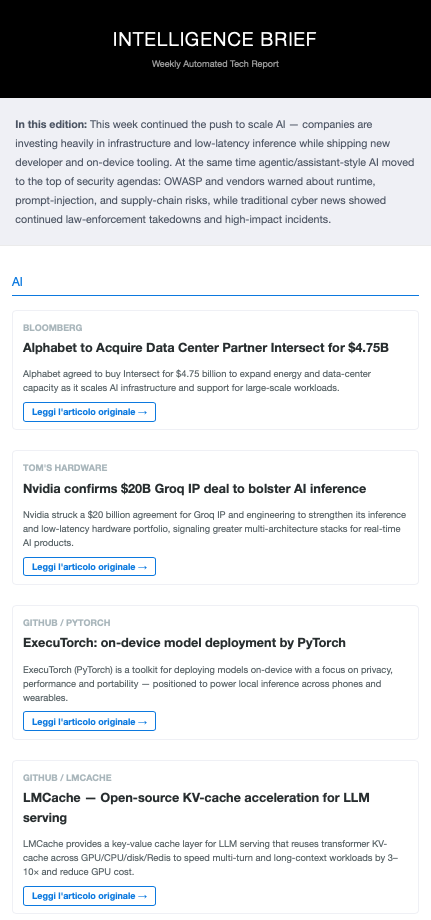
The final step is a custom n8n Code node (JavaScript) that acts as a template engine. It takes the AI’s JSON output and injects it into a responsive HTML structure. This creates a clean, “Knowledge Report” style email with dedicated sections for AI and Security, featuring red-alert styling for high-priority news.
I wanted the output to feel like a high-end briefing, and not a copy-pasted dump. So, the final mail is organized into different sections for the topic of interests. For each entry, I wanted just (i) the headline, (ii) the source link, and (iii) ~three lines of summary based on my specific interests. That should explain why that particular piece of news is worth my time and what the key takeaway is for my specific work.
I wanted it to be like an AI Chief of Staff telling me: “Read this, and here is exactly why it matters to you.”
Lessons learned
Data purity
A major technical focus was Data Purity. Feeding “raw” data to an LLM is a recipe for high costs and low-quality output.
- Token Efficiency: By stripping HTML tags and converting content into clean text or Markdown before it reaches the AI, I drastically reduced the TPM (Tokens Per Minute) usage. This was critical while operating under Tier 1 limits (which capped requests at 272k tokens).
- Model Selection: While newer models like gpt-4.1-mini offer a 1M+ context window, I opted for gpt-5-mini for the final synthesis due to its superior reasoning capabilities and lower input costs ($0.25 vs $0.40 per 1M tokens).
- Cleaning for Quality: Cleaner data allows the AI to focus on the substance of the news rather than trying to parse through “noisy” HTML boilerplate, resulting in much sharper summaries.
Signal vs Noise
Prioritizing articles across disproportionate sources was, and is, a thing. Depending on the selected sources/websites, RSS feeds, newsletters, and websites to monitor, they all can provide high-signal but low-frequency content. In contrast, NewsAPI provides a high volume of data that is often “scattered” and less targeted. That was my first mitigation:
- I implemented a system to mark specific RSS feeds, newsletters, and sites as highprio. If a high-priority item is detected, the system triggers an immediate push notification.
- This highprio flag is preserved in the metadata throughout the pipeline, allowing the final AI Agent to prioritize these items in the weekly newsletter.
- In the final HTML email, these items are currently identified with a subtle red background and a badge, ensuring they stand out during a quick scan.
Moving forward, I want to move beyond a binary “high priority” flag toward a weighted signal scoring system.
The goal is to assign different weights to different sources, so a breakthrough from a primary research source carries more weight than a general news aggregate. This will eventually be reflected even more clearly in the newsletter’s layout, with the most “important” news occupying more visual space or showing in a different order.
Final thoughts
Hardest part, apart from dealing with my endless perfectionism? 😄 I’d say data plumbing. Dealing w/ anti-scraping Cloudflare blocks (and not willing to pay for those services doing it for high prices), weighting and normalizing flows, and managing OpenAI’s Tier limits tweaking with storage’s chunk sizes and vector retrieval limits (moving to Tier 2 was essential to handle the token volume) were more challenging than I thought. Good opportunity to learn some tricks.
The result? I’m using it on my own, and it seems it solved my problem. Of course, I’ll adjust, optimize, and fine tune. For the time being, I now reclaim about 5 hours every week that I used to spend manually scrolling through feeds 🕺🏻
The final destination
The final piece of this puzzle is Karakeep, my read-it-later app of choice. Yayyy, this is no longer just a chaotic dumping ground: it is now a perfectly mirrored reflection of my knowledge hub. The automation tags and categorizes every entry using the same normalized schema as the newsletter, ensuring my phone, tablet, and laptop are always in sync with my current reading priorities. For those rare gems I stumble upon manually? I simply add them to Karakeep directly. Obviously, this allows me to bypass the ingestion pipeline entirely for personal discoveries while still keeping everything in one place.